

How to Get Cited in Google AI Overviews and AI Mode (2026 Guide)
 Catalin Dinca
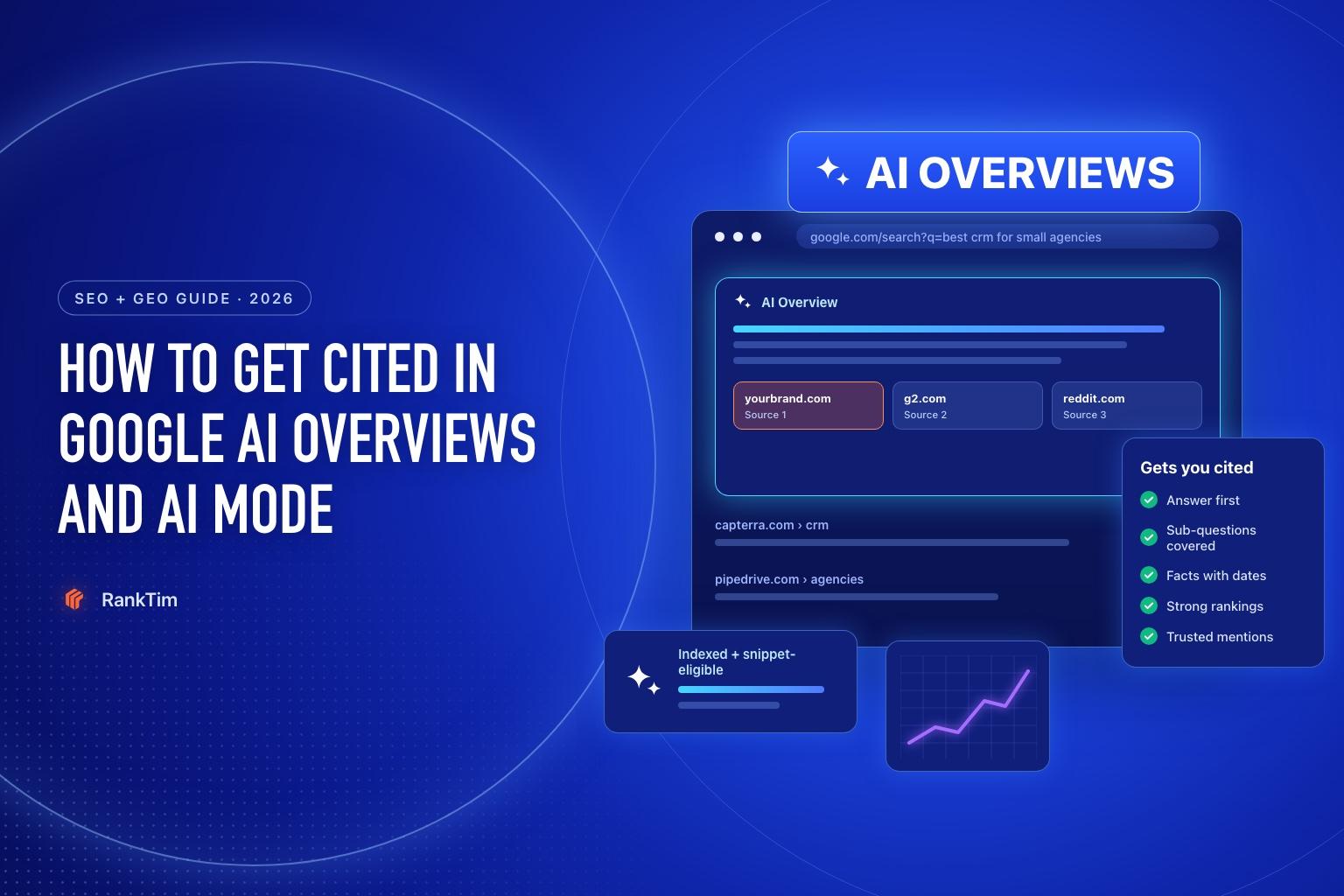
For a growing number of searches, the first thing people see on Google isn't a list of links. It's an AI-generated answer. Google said in 2026 that AI Overviews reach more than 2.5 billion people every month and AI Mode more than 1 billion.
That changes what "ranking first" means. If the AI Overview answers the question, the pages it cites get the attention, and often the clicks, that used to go to the top organic results. The good news is that both features are built on Google Search. The pages they link to are pages you can influence with the right mix of SEO and content work.
This guide explains how to get your pages cited in Google AI Overviews and AI Mode: how they choose sources, what Google officially says, and the steps that make the biggest difference.
AI Overviews vs AI Mode
Both features use Google's Gemini models and Google's search index, but they work differently:
| AI Overviews | AI Mode | |
|---|---|---|
| Where it appears | At the top of regular search results, for some queries | A separate, conversational search tab |
| When it shows | Only when Google's systems decide it adds value | Whenever the user chooses AI Mode |
| Type of questions | Mostly informational and comparison queries | Longer, multi-part questions and follow-ups |
| How sources are found | Search results for the query and related searches | Query fan-out across many sub-topics, with a wider set of supporting pages |
In practice, the same work improves your chances in both: be indexed, rank for the topic, and have the clearest passage for each part of the question.
How Google's AI Features Choose Sources
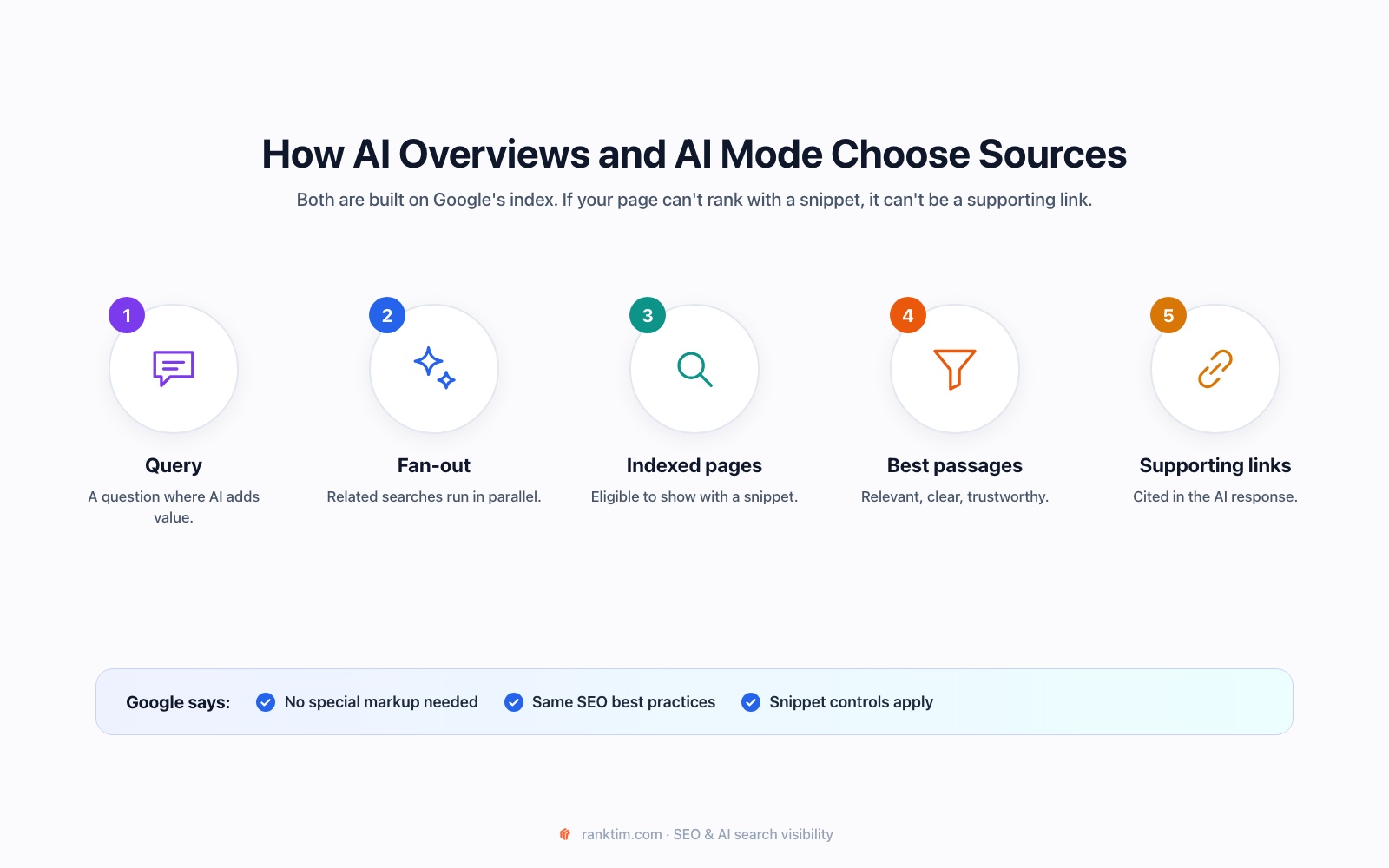
Google's documentation on AI features is refreshingly direct:
- There are no special requirements. To be shown as a supporting link, a page must be indexed and eligible to appear in Google Search with a snippet. No special markup or AI file is needed.
- The same SEO best practices apply: allow crawling, make content easy to find through internal links, provide a good page experience, keep important content in text form and make structured data match the visible content.
- AI Mode uses query fan-out: it issues multiple related searches across subtopics, which surfaces a wider and more diverse set of supporting pages than a classic search. Our guide to query fan-out explains how to cover those sub-questions.
- Traffic is reported in Search Console: clicks and impressions from AI features are part of the overall Performance report under the Web search type, and the Generative AI performance report, available to all sites since August 31, 2026, shows impressions in AI Overviews and AI Mode by page, country, device and date.
So the question isn't "how do I optimize for a new system?" It's "how do I become the best result for every part of this question?"
Which Pages Google's AI Tends to Cite
Look at the sources in AI Overviews for your own queries and you'll usually see the same types of pages again and again:
- Guides that answer the question directly, with clear headings and short sections.
- Comparison and "best of" pages that weigh options fairly, with criteria and a verdict. Our guide to comparison and alternatives pages shows how to build them.
- Product and category pages with specific details such as prices, specs and availability.
- Community discussions from forums and Reddit, especially for questions about experience and opinions.
- Official documentation and help pages for questions about how something works.
Find the type that dominates your queries. If every cited source is a comparison page and you only have a product page, the fix is a new page type, not more keywords.
Step 1: Find the Queries That Trigger AI Answers
Start with the searches that matter to your business:
- Search them yourself in an incognito window and note which ones show an AI Overview and which sites it cites.
- Check Search Console for queries where impressions stayed stable or grew but clicks dropped. That's often a sign an AI Overview now answers the question.
- Track AI Mode at scale. In RankTim, open AI Visibility → Answers and filter by Google AI to see how Google's AI Mode answers your tracked prompts, whether your brand is mentioned and which sources it relies on.
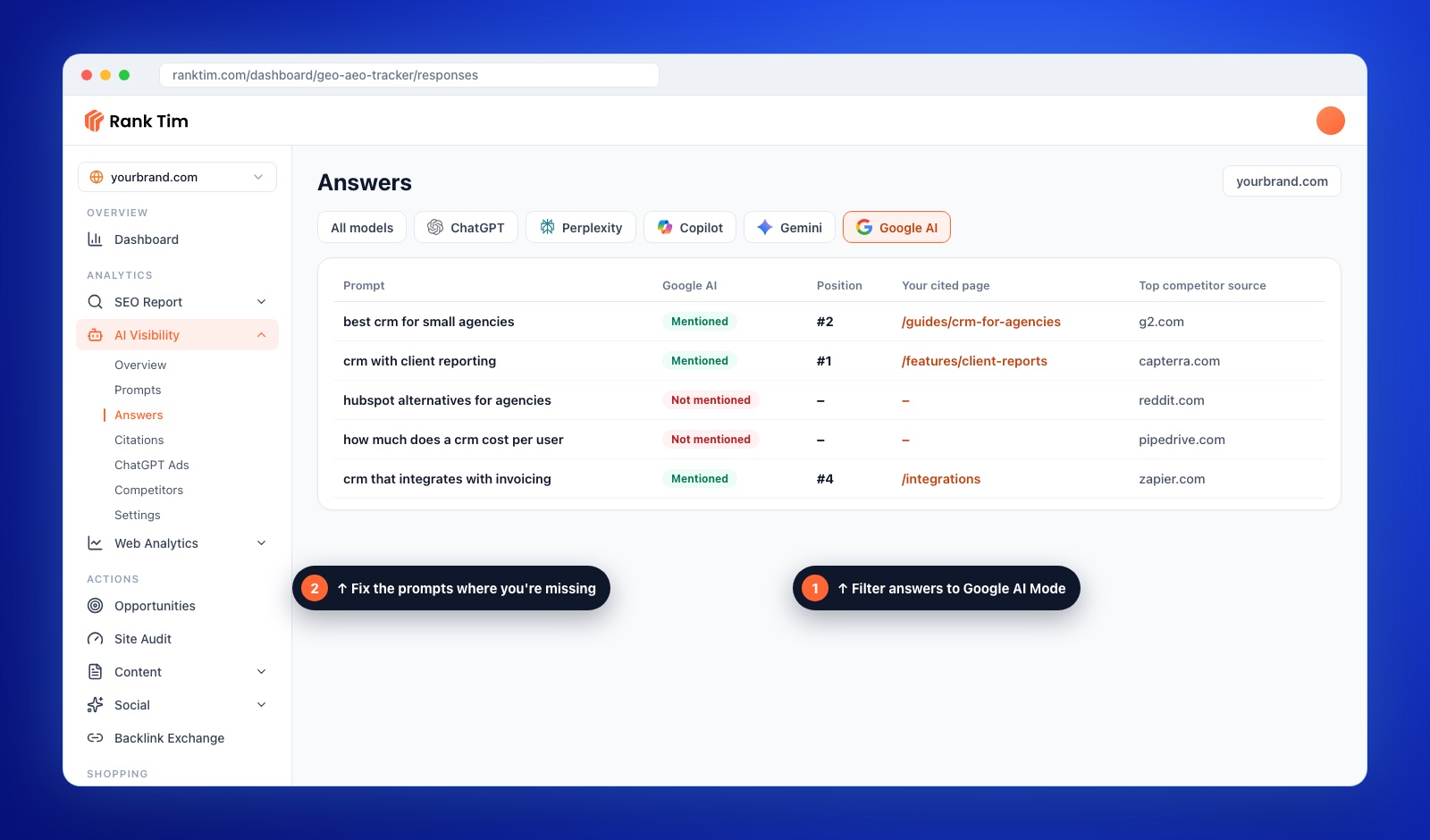
Prioritize queries with commercial value where competitors are cited and you're not.
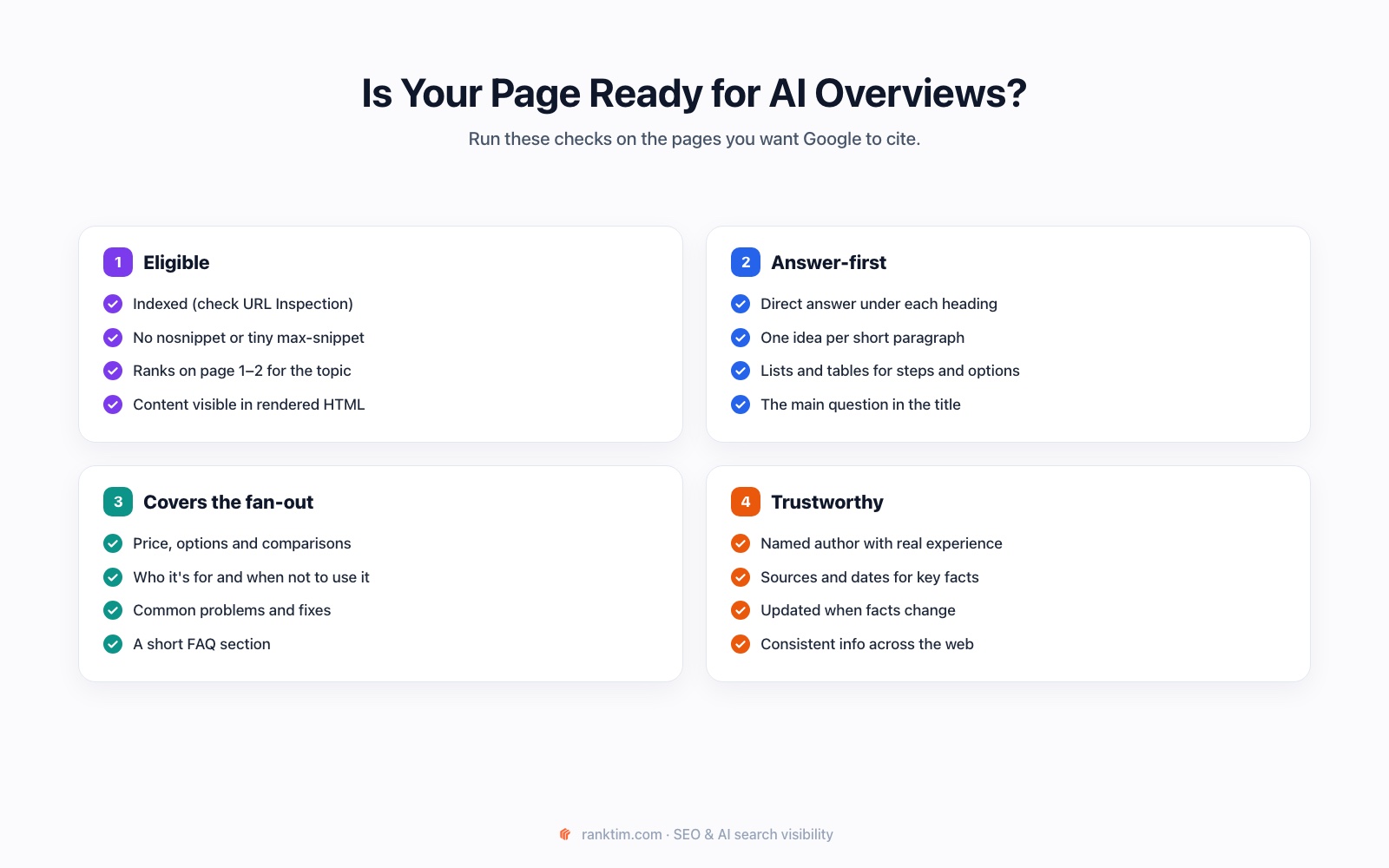
Step 2: Make Sure Your Pages Are Eligible
This is the step most often overlooked. A page that isn't eligible can't be cited, however good it is.
- Indexed: check the page with the URL Inspection tool in Search Console.
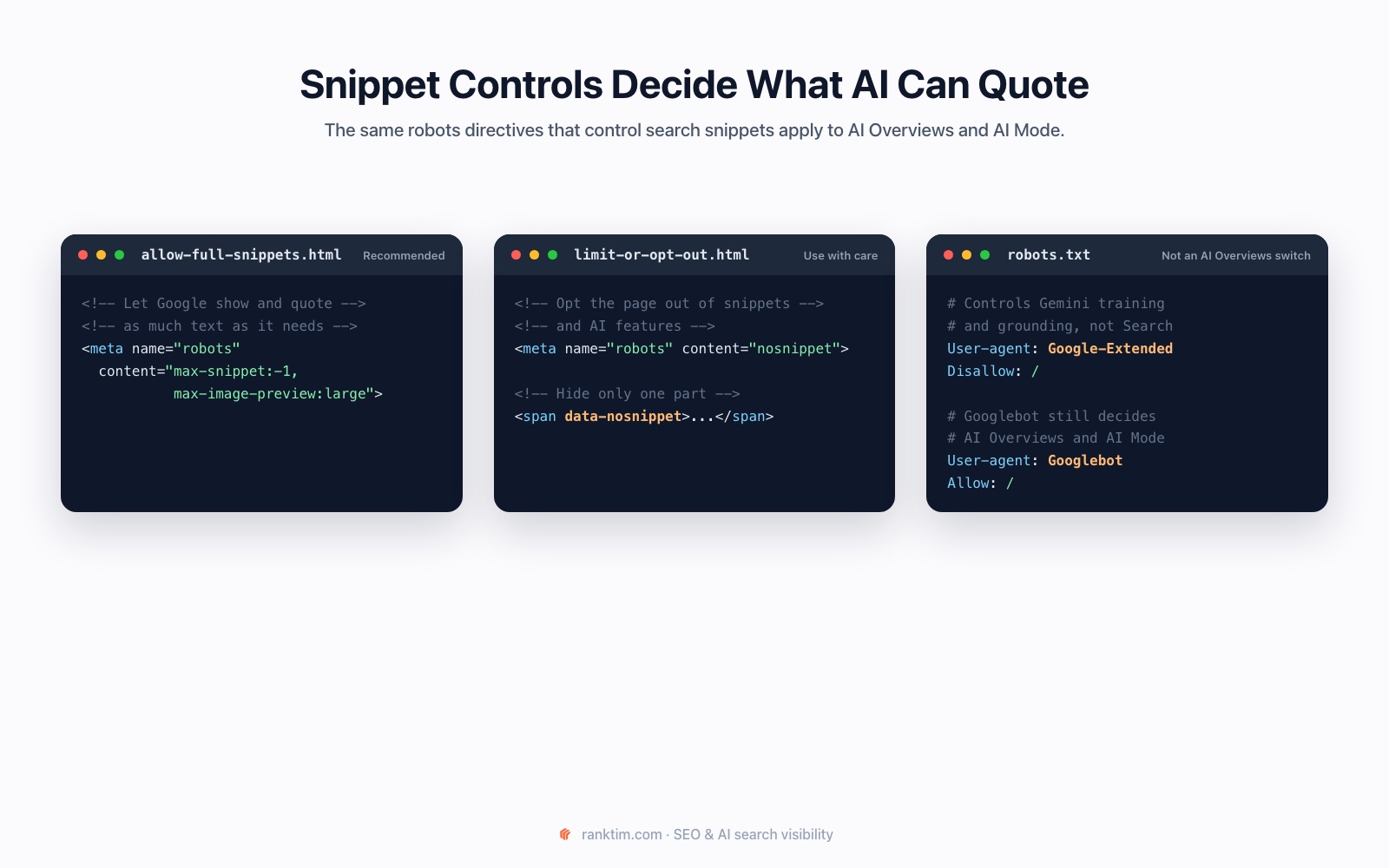
- Snippet-eligible: no
nosnippetdirective and no very restrictivemax-snippetvalue on pages you want cited. - Readable: the main content must be in the rendered HTML, not hidden behind tabs that never load, logins or heavy client-side scripts.
Step 3: Rank for the Question and Its Sub-Questions
Google's AI features draw on pages that already perform in Search. Pages that rank on the first page for a topic are far more likely to be used than pages that don't rank at all. Focus on:
- The main query and its variations: make sure you have one strong page for the topic, not several weak ones competing with each other.
- The sub-questions: price, options, comparisons, how-to steps, pros and cons. Cover them on the main page or on well-linked supporting pages, as shown in our topic clusters tutorial.
- Classic ranking work: relevant content, internal links, a healthy site and links from trusted sites.
Step 4: Write Answer-First Content
AI Overviews quote short passages. Make yours the easiest to quote:
- Put the direct answer in the first one or two sentences under each heading, then add detail.
- Use the question as the heading where it fits naturally.
- Use lists and tables for steps, options and comparisons.
- Be specific: numbers, ranges, dates and named examples beat general statements.
- Cover "it depends" honestly: say who an option suits and who it doesn't. AI Overviews often summarize trade-offs.
See what Google's AI says about your market
RankTim runs your prompts in Google AI Mode, ChatGPT, Gemini, Perplexity and Copilot and shows whether you're mentioned, which of your pages are cited and which competitor sources win instead.
Start Your Free TrialStep 5: Show Experience, Sources and Freshness
Google wants to link to pages that are helpful and reliable. Make that obvious:
- A real author with relevant experience and a short bio.
- Sources for key facts, especially numbers, with the date they apply to.
- First-hand detail: your own tests, screenshots, examples or data. Our guide to original research shows how to create it.
- Regular updates when prices, features or rules change, with the updated date visible. See our content refresh guide.
- Structured data that matches the visible content. Our schema markup guide covers the most useful types.
Step 6: Measure Visibility and Traffic
Measure AI features with three sources together:
- Search Console: AI-feature traffic is included in your overall Performance data. Watch query-level trends for the pages you optimized, and use the Generative AI performance report to see which pages get impressions in AI Overviews and AI Mode.
- GA4: track sessions and conversions on those pages, and AI referral traffic from other assistants. Our GA4 guide shows the setup.
- AI answer tracking: re-run your prompts every few weeks to see whether Google AI Mode mentions you and cites your pages. For pages that rank but aren't cited, run a page-level citation analysis.
Expect some queries to bring fewer clicks even when you're cited. The users who do click from an AI answer have usually read a summary first, so they arrive better informed. Judge success on visibility and conversions, not clicks alone.
Common Mistakes to Avoid
- Adding nosnippet to "protect" content on pages you actually want cited.
- Creating a page for every query variation. Google warns against this; build strong pages that cover the topic.
- Hiding the answer under long introductions.
- Using AI-only markup or files and expecting them to work. Google says no special markup is needed.
- Ignoring classic SEO. If you don't rank, you're rarely used.
FAQ
How do I get my website into Google AI Overviews?
Make sure the page is indexed and eligible for snippets, rank for the topic and its related questions, and write clear, answer-first sections with specific facts. Google says there are no other technical requirements.
Is there special markup for AI Overviews?
No. Google states that no special schema or AI-specific file is needed. Structured data still helps Google understand your content, as long as it matches what's visible on the page.
Can I opt out of AI Overviews?
You can limit how your content is shown with nosnippet, data-nosnippet or max-snippet, or remove a page from Search with noindex. These also limit how the page appears in classic results, so use them carefully.
Do AI Overviews reduce clicks?
For some informational queries, yes. Cited pages still gain visibility and often attract more qualified visitors. Track impressions, clicks and conversions together rather than clicks alone.
How do I track AI Overviews and AI Mode?
Use Search Console for clicks and impressions, GA4 for behavior and conversions, and an AI visibility tool to see how Google's AI answers your key questions. RankTim tracks Google AI Mode answers alongside ChatGPT, Gemini, Perplexity and Copilot.
Google's AI answers are built on Google Search, which makes them one of the most controllable parts of GEO. Be eligible, rank for the question and its sub-questions, write the clearest answer and keep it current. If you need the bigger picture first, start with our guide to what GEO is.
Win the Answer, Not Just the Ranking
Track your visibility in Google AI Mode and other AI assistants, find the prompts where you're missing and fix the pages that should be cited.
Start for Free
Catalin Dinca
Written by Catalin Dinca