

Topic Clusters & Internal Linking for SEO and GEO: A Step-by-Step Tutorial
 Catalin Dinca
Most blogs are a pile of unrelated articles. Each one targets a keyword, gets published, and is then left alone with two or three internal links pointing at it. Search engines see scattered pages. AI assistants see a site that touches a topic without owning it.
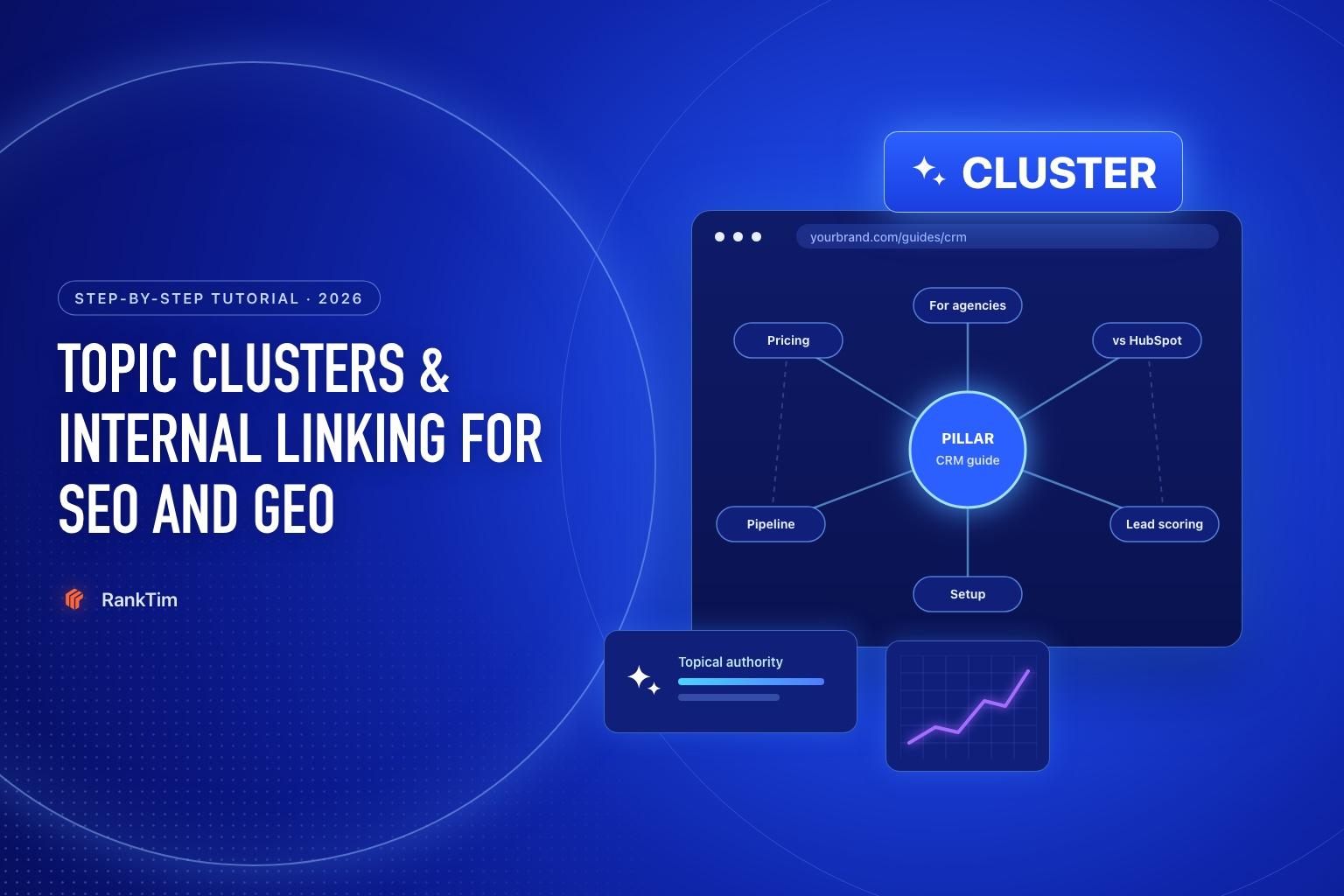
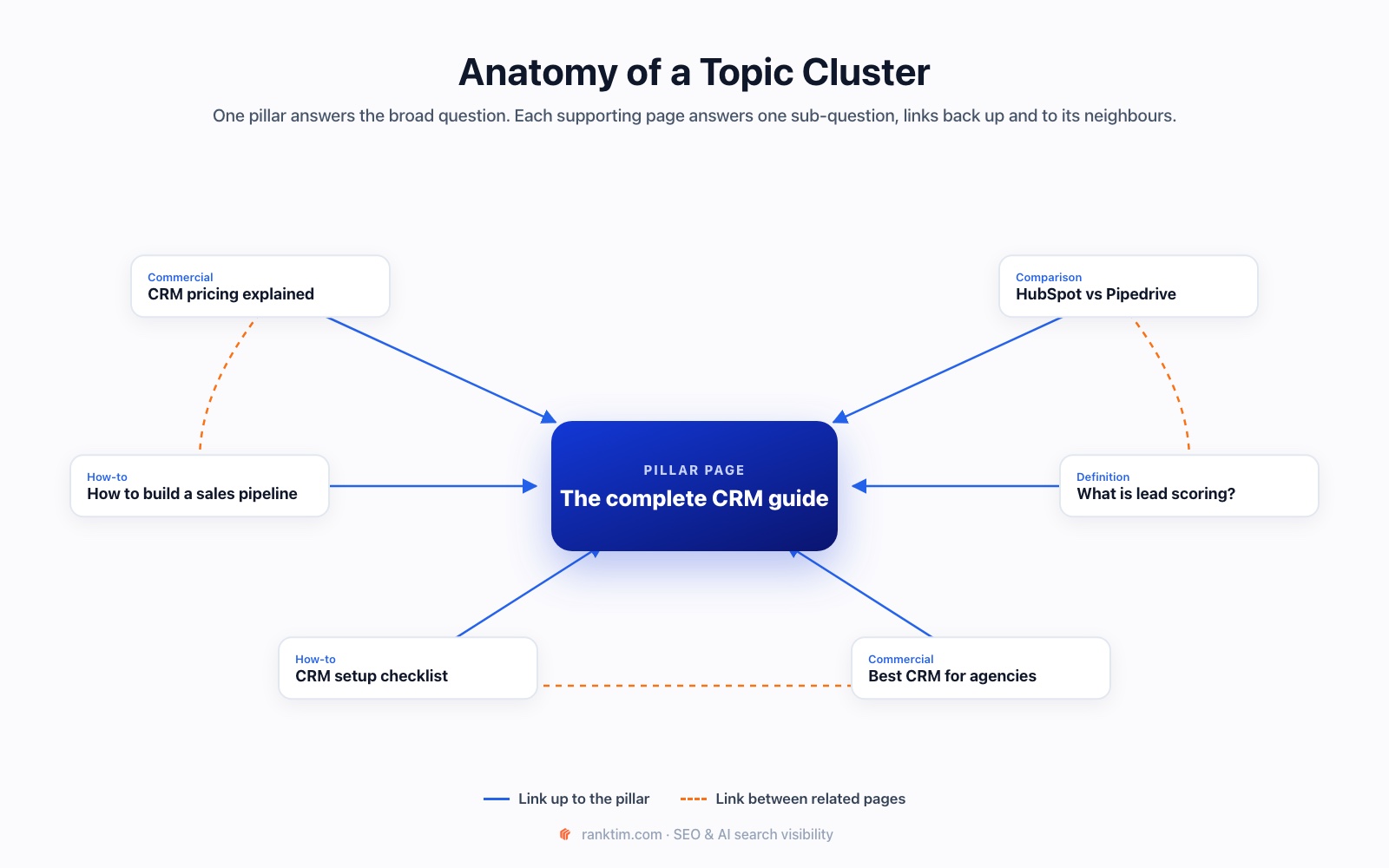
A topic cluster fixes that. One pillar page covers a broad topic. Several supporting pages each answer one specific sub-question in depth. Internal links connect them, so both people and machines can see that you cover the whole subject.
It matters even more in AI search. When Google's AI Mode answers a question, it uses a "query fan-out" technique: it splits the question into sub-questions and searches for each. A cluster is your answer to fan-out: a page ready for every branch of the question.
Step 1: Choose the Right Pillar Topic
A good pillar topic is:
- Commercially relevant: closely connected to what you sell. "Choosing a CRM" for a CRM company, not "productivity tips".
- Broad enough for 6 to 15 supporting pages, but narrow enough that you can genuinely be the best source.
- Something people actually research before buying, in search and in AI assistants.
Start with one cluster. Finish it properly before starting the next.
Step 2: Map the Sub-Questions
List every question someone might ask on the way to understanding the topic or making a decision. Good sources:
- People Also Ask and the questions AI Overviews cover for your pillar keyword.
- Search Console: long queries already bringing impressions to related pages.
- Sales and support: the questions customers ask before buying.
- Fan-out: expand the main question by persona. Our prompt research tutorial shows how.
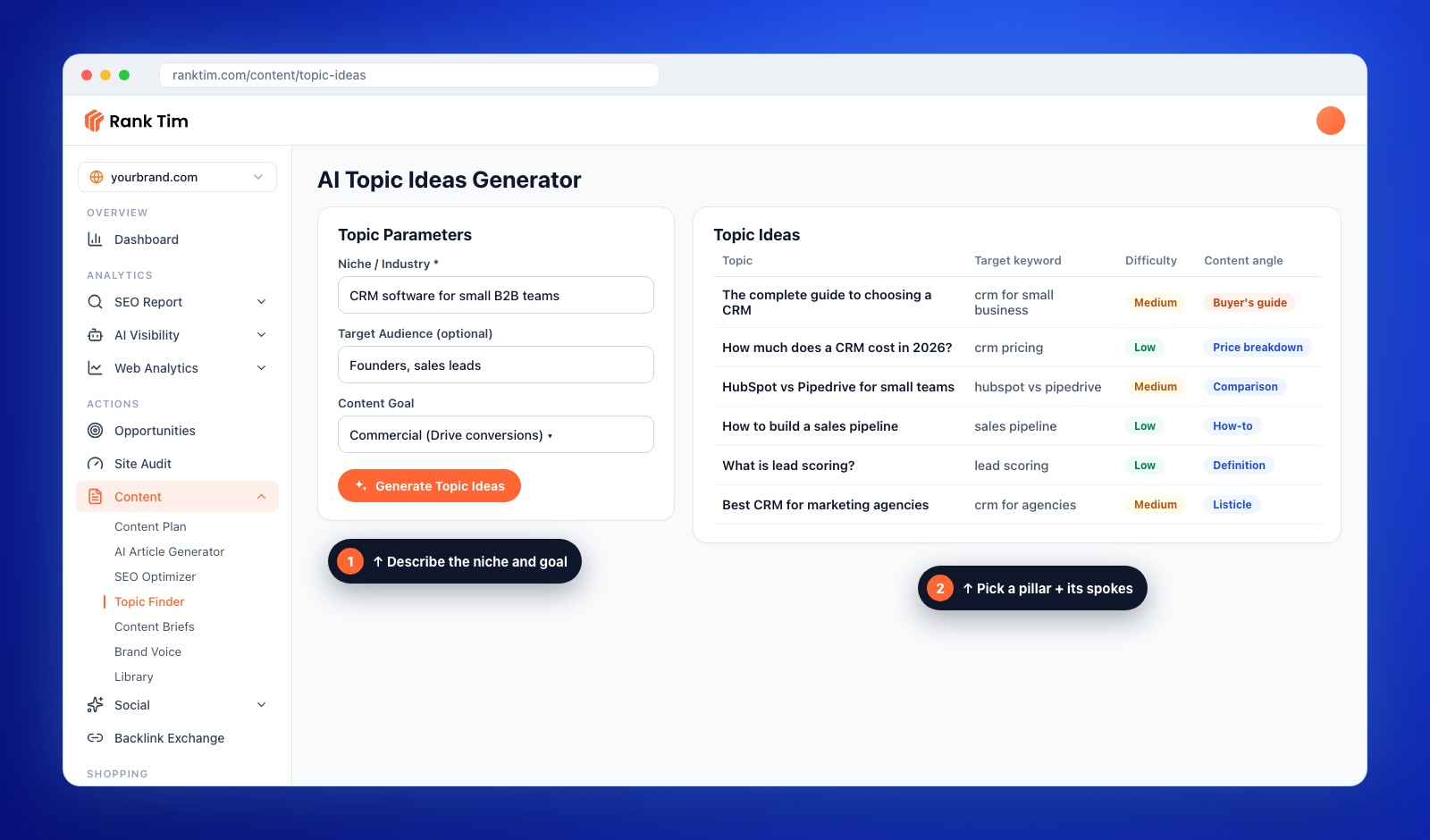
- Topic generators: in RankTim's Topic Finder, enter your Niche / Industry, an optional Target Audience and a Content Goal, then click Generate Topic Ideas. You get topics with target keywords, an SEO difficulty rating and a suggested content angle.
Step 3: Assign One Intent per Page
Group the questions. Each group becomes one page with one clear intent. Two pages chasing the same intent compete with each other (keyword cannibalization), and usually neither wins.
| Page | Intent | Main question |
|---|---|---|
| Pillar: The complete guide to choosing a CRM | Broad, commercial | How do I choose the right CRM? |
| CRM pricing explained | Commercial | How much does a CRM cost? |
| HubSpot vs Pipedrive | Comparison | Which is better for a small team? |
| How to build a sales pipeline | How-to | How do I set up pipeline stages? |
| What is lead scoring? | Definition | What is it and do I need it? |
| Best CRM for agencies | Commercial | Which CRM suits an agency? |
Step 4: Write the Pillar Page
The pillar answers the broad question completely but briefly on each sub-topic, then hands off to the supporting pages for depth.
- Open with a direct answer to the main question in the first paragraph.
- One section per sub-topic, two or three paragraphs each, ending with a link to the supporting page.
- A summary table or checklist that can be quoted on its own.
- Keep it current. The pillar is the page AI and search engines are most likely to treat as your main source on the topic.
Step 5: Write the Supporting Pages
Each supporting page goes deep on one question:
- Answer-first: the direct answer in the first one or two sentences, then detail, examples and data.
- Specific and verifiable: numbers with sources, real examples, screenshots, your own experience.
- One intent: if a section starts answering a different question, it probably belongs on another page.
To publish consistently, put the whole cluster in a Content Plan: enter the date range, your domain, and the cluster topics and keywords in Context / Keywords. RankTim schedules the articles, and with the WordPress integration they publish to your site automatically, as drafts or live posts.
Plan a whole cluster in minutes
RankTim's Topic Finder suggests topics with target keywords, difficulty and content angles. Content Plan turns them into a publishing calendar, and the WordPress integration publishes them on schedule.
Start Your Free TrialStep 6: Apply the Internal Linking Rules
Internal links are what turn a set of pages into a cluster. They tell search engines which page is the main one, help crawlers discover new content and let readers (and AI) follow the topic.
- Every supporting page links up to the pillar, early in the content, with a descriptive anchor.
- The pillar links down to every supporting page, from the section that summarises it.
- Supporting pages link sideways to 2 or 3 closely related siblings ("if you're comparing tools, see HubSpot vs Pipedrive").
- Use descriptive anchors. "Our CRM pricing guide" tells search engines what the target page is about. "Click here" doesn't.
- Link from your strongest pages. Pages with the most traffic and backlinks pass the most value. Add a contextual link from them to the pillar.
- Add breadcrumbs that reflect the hierarchy (Home → Guides → CRM → Pricing), with BreadcrumbList schema.
- No orphan pages. Every page in the cluster needs at least one internal link pointing to it.
Avoid the opposite extreme: dozens of links in every paragraph, or identical exact-match anchors everywhere. Link where it genuinely helps the reader take the next step.
Step 7: Audit and Fix Existing Links
Most sites already have content that belongs in a cluster but isn't connected. To fix it:
- Find orphan and weakly linked pages. In Google Search Console, open Links → Internal links to see which pages receive the fewest internal links. A site crawler will also list pages with no internal links at all.
- Find cannibalization. In the Search Console Performance report, filter by a query and check whether several of your URLs get impressions for it. If so, merge them or differentiate their intent.
- Add missing links from older related articles to the pillar and the new supporting pages.
- Update the pillar whenever you publish a new supporting page, so the hub always reflects the full cluster.
Our content refresh guide shows how to combine this with updating pages that are starting to lose rankings.
Step 8: Measure the Cluster, Not Just Pages
Judge a cluster as a whole, over two to three months:
- Rankings: track the pillar keyword and each supporting page's keyword in the Rank Tracker. Clusters often lift the pillar after several supporting pages are live and linked.
- Search Console: total clicks and impressions for all cluster URLs, and the number of different queries they rank for.
- AI visibility: run the cluster's key questions as prompts and check how often your pages are cited. Our guide on tracking your brand in ChatGPT, Gemini and Perplexity shows how.
- Conversions: leads or sales from cluster pages, since the point is business results, not just traffic.
Topic Cluster Checklist
- One commercially relevant pillar topic chosen
- Sub-questions collected from PAA, Search Console, sales, fan-out and topic research
- One clear intent per page, no two pages competing for the same query
- Pillar answers the broad question and links to every supporting page
- Supporting pages answer-first, specific and linked up to the pillar
- 2 or 3 sideways links between related supporting pages
- Descriptive anchors, breadcrumbs, no orphan pages
- Rankings, clicks and AI citations tracked for the whole cluster
Frequently Asked Questions
How many pages should a topic cluster have?
There's no fixed number. Most effective clusters have one pillar and 6 to 15 supporting pages. Cover every important sub-question once, and stop when new pages would only repeat existing ones.
Should the pillar page be very long?
It should be complete, not padded. Cover each sub-topic briefly and link to the supporting page for depth. Length follows from what the topic needs.
Do internal links help with AI search?
Indirectly, yes. They help crawlers discover and understand your pages, which supports the search rankings AI systems draw on, and they show that your site covers a topic in depth, which makes your pages better candidates for each part of a fanned-out question.
How often should I update a cluster?
Review the pillar every quarter and update it whenever you add a supporting page. Refresh supporting pages when their facts, prices or examples change.
Topical authority isn't built one viral article at a time. It's built by answering every important question in your space, clearly, and connecting the answers so search engines and AI can see the whole picture.
Build Topical Authority, One Cluster at a Time
Find the topics, plan the calendar, write and publish the articles, then track rankings and AI citations for the whole cluster, in RankTim.
Start for Free
Catalin Dinca
Written by Catalin Dinca