

How to Find the Prompts Your Customers Ask AI: A Prompt Research Tutorial
 Catalin Dinca
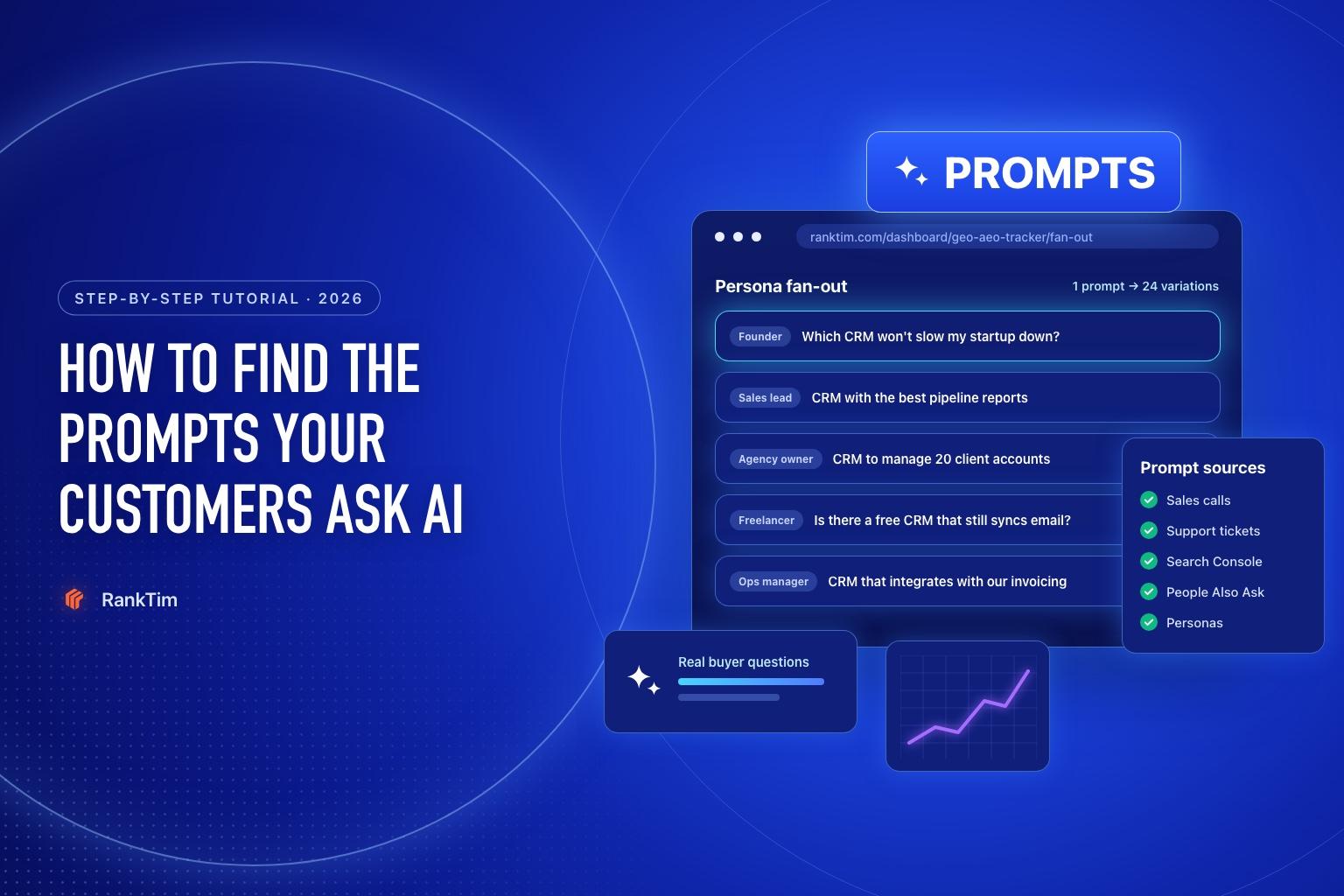
For twenty years, search strategy started with keyword research: short phrases, monthly volumes, difficulty scores. AI assistants broke that model. People don't type "crm small business" into ChatGPT. They write "I run a 10-person B2B agency, we lose leads in spreadsheets, which CRM should we use and what will it cost?"
That sentence has no search volume in any keyword tool, yet it is exactly the moment a buyer chooses a shortlist. Prompt research is how you find those moments, so you can measure whether AI recommends you and fix it when it doesn't.
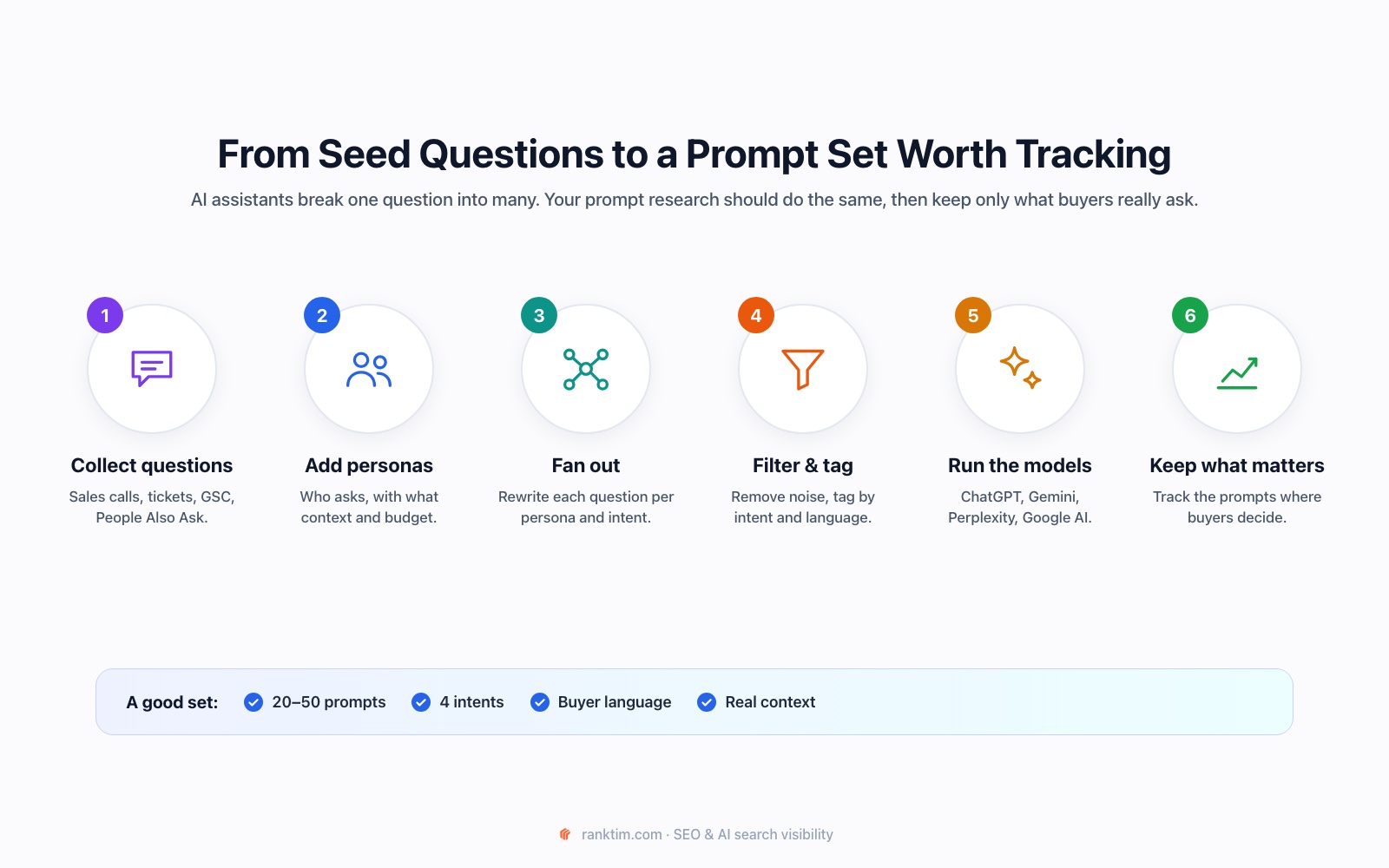
This tutorial walks through the full process, from raw questions to a prompt set you can track.
Time needed: about two hours for the first version, 30 minutes a month to keep it fresh.
Prompts vs Keywords: What Changes
| Keywords | Prompts | |
|---|---|---|
| Length | 2 to 5 words | Full sentences, often 15 to 40 words |
| Context | Implicit | Explicit: team size, budget, location, constraints |
| Data source | Search volume tools | Customer conversations, support, search queries, communities |
| What you win | A ranking position | A mention, a recommendation or a citation |
| How it's processed | Matched to pages | Split into sub-questions, answered from several sources |
That last row matters most. Google has described how AI Mode uses a "query fan-out" technique: it breaks a question into subtopics and runs many searches at once to build the answer. Other assistants behave in a similar way. Your prompt research should mirror that, by starting from real questions and expanding them the way an AI would.
Step 1: Collect Real Buyer Questions (45 minutes)
Don't brainstorm prompts from scratch. Collect them from places where customers already ask questions in their own words:
- Sales calls and demos. Ask your sales team for the 10 questions they hear most before someone buys. If calls are recorded, search transcripts for "which", "should", "vs" and "how much".
- Support tickets and live chat. Especially pre-sales questions and "can it do X?" requests.
- Google Search Console. Long, question-style queries are often the closest thing to prompts you can measure. In the Performance report, add a Query filter, choose "Custom (regex)" and paste:
^(who|what|why|how|when|where|which|can|does|do|is|are|should|best|vs)\b|\b(vs|versus|alternative|alternatives|worth it|review)\b- People Also Ask and AI Overviews for your core terms. Note the follow-up questions Google itself suggests.
- Reddit, forums and review sites. Read the threads where people compare tools or ask for recommendations in your category. Copy the questions word for word.
Aim for 30 to 60 raw questions. Don't clean them yet.
Step 2: Define 3 to 5 Personas (15 minutes)
The same question gets a different answer depending on who asks. A founder, a head of sales and a freelancer all ask about CRMs, but with different budgets, priorities and vocabulary.
For each persona, write one line: role, company size, main goal and main constraint. For example:
- Founder of a 10-person startup, wants something fast to set up, tight budget
- Head of Sales at a 50-person company, needs pipeline reporting, cares about forecasting
- Marketing agency owner, manages many client accounts, needs permissions
These personas feed the fan-out in the next step.
Step 3: Fan Out Each Core Question by Persona (20 minutes)
Pick your 5 to 10 most important questions, the ones closest to a buying decision. For each one, generate variations per persona and per intent.
Manually: rewrite the question as each persona would ask it, then add a comparison version, a price version and a problem version.
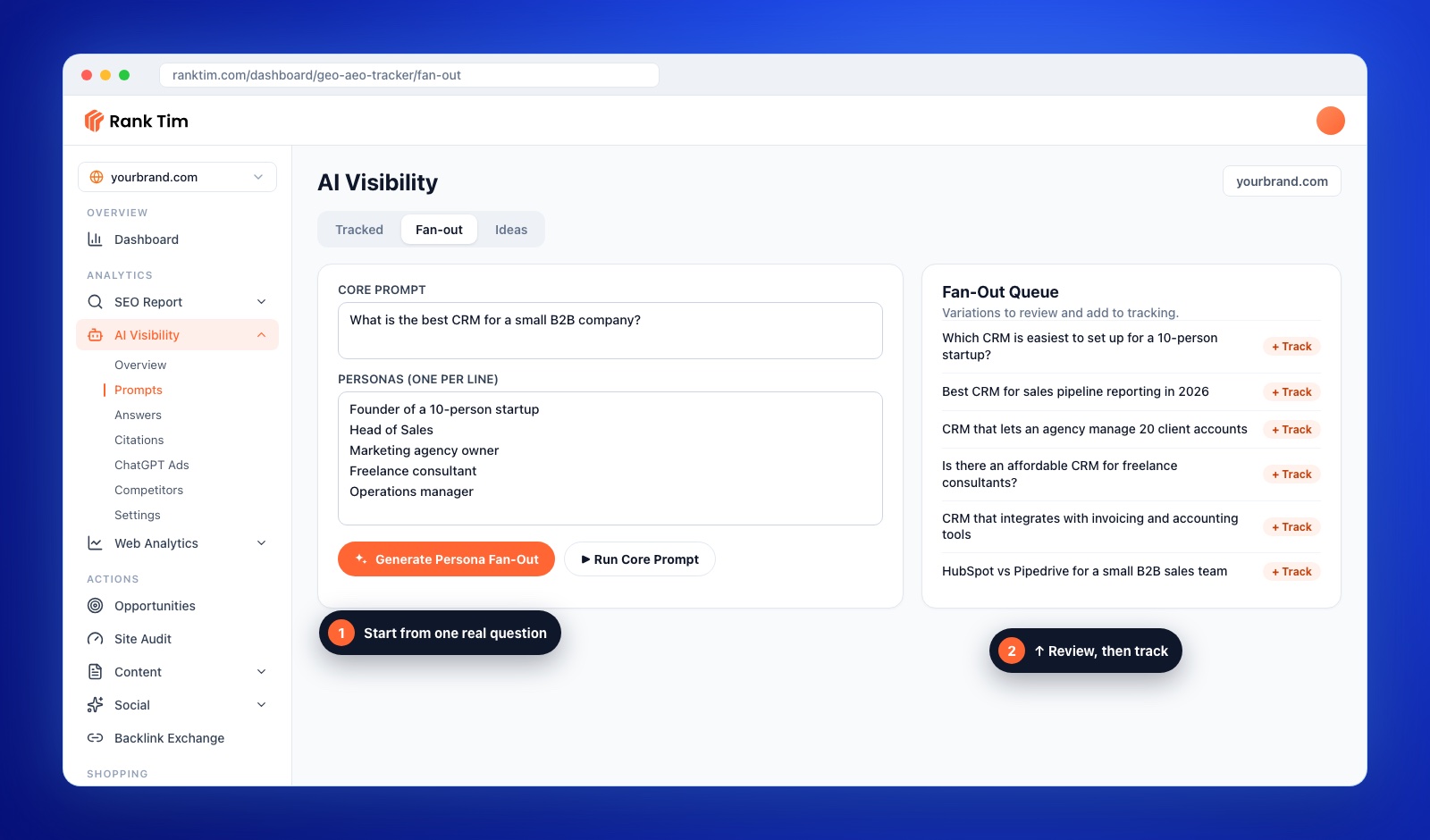
In RankTim: open AI Visibility → Fan-out, write the question in Core Prompt, list your personas (one per line) and click Generate Persona Fan-Out. The variations appear in the Fan-Out Queue, where you can review each one and add the good ones to tracking. Run Core Prompt lets you test the original question first.
Step 4: Explore the Niche for Questions You Missed (15 minutes)
Your customers ask about more than your product. They ask about the problem, the category and the alternatives. In RankTim's Ideas tab, enter a Target Niche (for example "CRM software for small B2B teams") and click Generate Queries. Add the relevant ones to the tracking library with Add to Prompt Hub tracking library.
This is where you usually discover the broader questions, like "how do small agencies keep track of leads?", where a competitor or a review site is being recommended and you are not even in the conversation.
Turn one question into a full prompt set
RankTim's Fan-out and Ideas tabs expand your buyers' questions by persona and niche, so you can add the best variations to tracking in a click.
Start Your Free TrialStep 5: Filter and Tag by Intent (20 minutes)
Now cut. A useful prompt set is focused, not exhaustive. Remove anything a real customer would never ask, duplicates that only change one word, and questions with no link to what you sell.
Then tag every remaining prompt with one intent:
| Intent | Example | Why track it |
|---|---|---|
| Discovery | "Best CRM for a 10-person agency in 2026" | Shortlists are formed here |
| Comparison | "HubSpot vs Pipedrive for small teams" | Buyers decide between 2 or 3 options |
| Problem | "How do I stop losing leads in spreadsheets?" | Earliest stage, biggest audience |
| Brand | "Is [your brand] worth it?" | Checks what AI says about you specifically |
Also set the language of each prompt. If you sell in several countries, track prompts in each market's language: the answers and the cited sources often differ.
Target: 20 to 50 prompts, with at least 5 in each intent group.
Step 6: Run a Test Round and Prune (15 minutes)
Run the set once across ChatGPT, Gemini, Perplexity and Google AI. Then look at three things:
- Prompts where nobody in your category is mentioned. The question may be too generic. Rewrite it with more context or drop it.
- Prompts where answers never name any brand. Useful for content ideas, less useful for visibility tracking.
- Prompts where competitors appear and you don't. Keep these. They are your priority list.
Our tutorial on how to track your brand in ChatGPT, Gemini and Perplexity covers reading the results in detail.
Step 7: Map Every Priority Prompt to a Page
A prompt set is only useful if it changes your content. For each prompt you are losing, decide which page should win it:
- An existing page that needs a clearer, answer-first section for that question.
- A new page if nothing on your site answers it: a comparison, a pricing explainer, a use-case page.
- An off-site source if AI keeps citing a review site or a "best of" list. That's an outreach target, not a content task.
Then follow our guide on optimizing your website for AI search to make those pages easy to retrieve, quote and trust.
Common Prompt Research Mistakes
- Tracking keywords disguised as prompts. "crm software" is not a prompt. Add who is asking and why.
- Only tracking brand prompts. You'll look great on "is [brand] good?" and miss every discovery question where buyers form their shortlist.
- One language for every market. Romanian buyers asking in Romanian get different answers than the same question in English.
- Never refreshing the set. Products, competitors and questions change. Review the list monthly and replace prompts that no longer reflect real conversations.
Frequently Asked Questions
How many prompts do I need?
Start with 20 to 50, spread across discovery, comparison, problem and brand intents. That's enough to see patterns without drowning in data.
Is there search volume data for prompts?
Not in the way keyword tools provide it. AI providers don't publish prompt volumes. Use proxies instead: how often a question comes up in sales calls and support, Search Console impressions for similar long queries and how active the related community discussions are.
Should prompts include my brand name?
Some should, most shouldn't. Brand prompts show what AI says about you; unbranded prompts show whether AI recommends you at all, which is where new customers come from.
How often should I update my prompt set?
Review it monthly. Add new questions from sales and support, remove prompts that never produce useful answers and re-run fan-out when you launch a product or enter a new market.
The brands that win in AI search aren't guessing what to optimize for. They know the exact questions their buyers ask, in their buyers' words, and they check every week whether the answer includes them.
Know Exactly What Your Buyers Ask AI
Research prompts by persona, track them across ChatGPT, Gemini, Perplexity, Copilot and Google AI, and see where you win and where competitors do.
Start Tracking
Catalin Dinca
Written by Catalin Dinca