

How to Measure AI Search Visibility in 2026: Search Console, Bing AI Performance and GA4
 Catalin Dinca
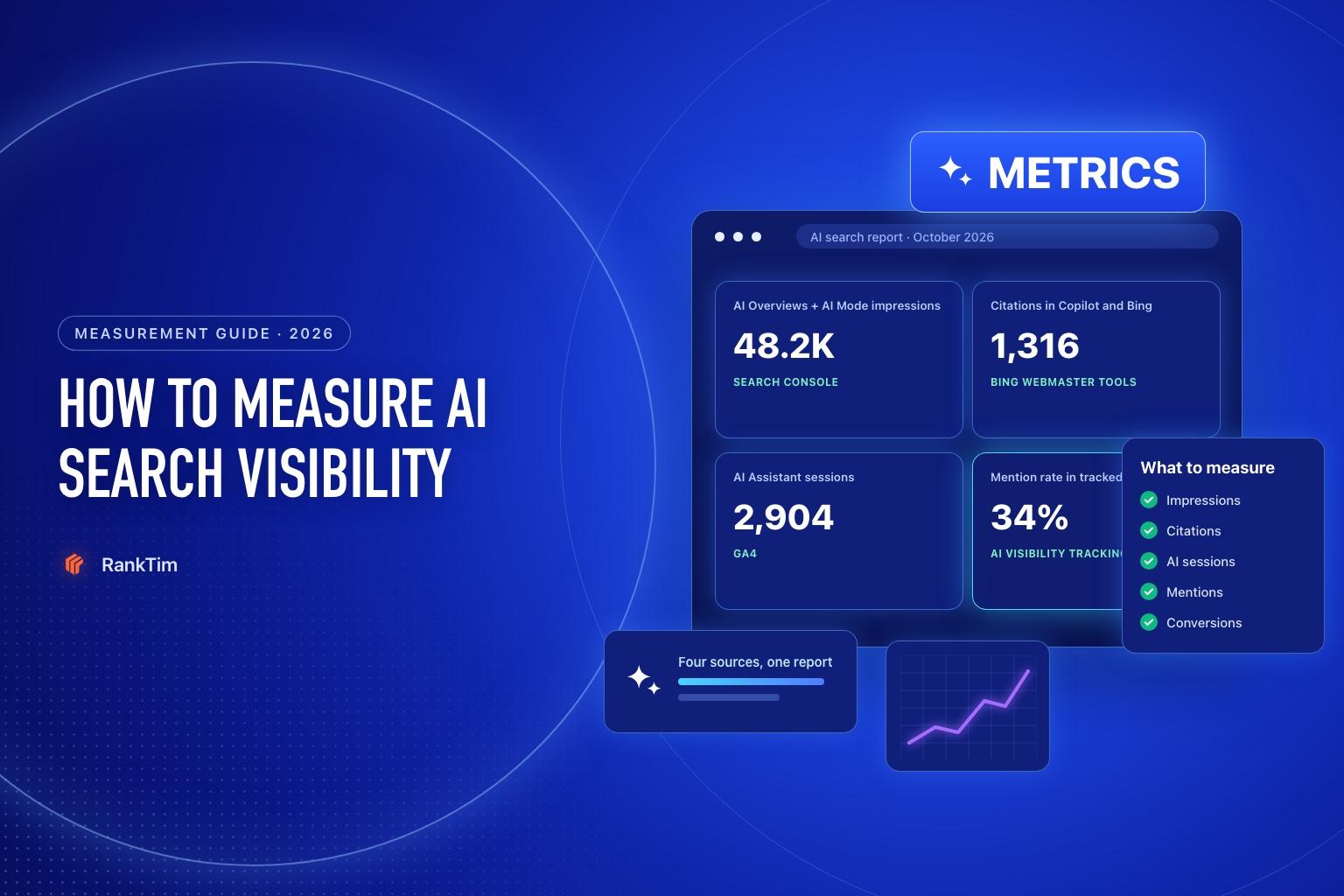
For years, measuring search meant one dashboard: impressions, clicks and positions in Search Console, plus organic sessions in analytics. AI search broke that model. A customer can read an AI Overview that cites your page, ask ChatGPT for a recommendation that names your brand, or see your article quoted in Copilot, and none of it looks like a classic organic visit.
The good news is that first-party reporting has caught up a lot in 2026. Google added a Generative AI performance report to Search Console, Microsoft launched AI Performance in Bing Webmaster Tools, and GA4 has a dedicated AI Assistant channel. The catch: each tool sees a different slice, and none of them sees everything.
This guide explains what each source measures, how to set it up, what it can't tell you and how to combine everything into a monthly report your team will actually use.
TL;DR
- Search Console's Generative AI performance report shows impressions of your links in AI Overviews and AI Mode, by page, country, device and date. It reports impressions, not clicks, and has been available to all sites since August 31, 2026.
- Bing's AI Performance report shows how often your pages are cited in Microsoft Copilot, AI summaries in Bing and select partner experiences, plus a sample of the grounding queries behind those citations.
- GA4's AI Assistant channel counts visits from assistants such as ChatGPT, Gemini, Copilot, Grok and DeepSeek. Traffic from Google's AI Overviews and AI Mode is counted as Organic Search instead.
- No first-party tool shows whether ChatGPT, Claude or Perplexity mention your brand when people don't click. For that, you need prompt tracking.
- Report visibility, traffic and business results separately, and avoid claiming that a single change caused a movement without evidence.
Table of Contents
- Why AI Search Is Hard to Measure
- What Each Data Source Measures
- Step 1: Use Search Console's Generative AI Performance Report
- Step 2: Use Bing Webmaster Tools AI Performance
- Step 3: Track AI Referral Traffic in GA4
- Step 4: Fill the Gaps With Prompt Tracking
- Step 5: Build a Monthly AI Search Report
- Step 6: Interpret the Numbers Carefully
- Where Rank Tim Fits
- FAQ
- Sources
- Recommended Articles
Why AI Search Is Hard to Measure
Classic SEO had a simple chain: impression, click, visit, conversion. AI search adds steps that often don't produce a click:
- the AI reads your page and cites it as a source
- the AI mentions your brand without linking
- the user reads the summary and decides without visiting any site
- the user remembers your name and searches for it later
Each of these has value, but they show up in different places, or nowhere at all. That's why AI search reporting needs several sources and clear definitions.
What Each Data Source Measures
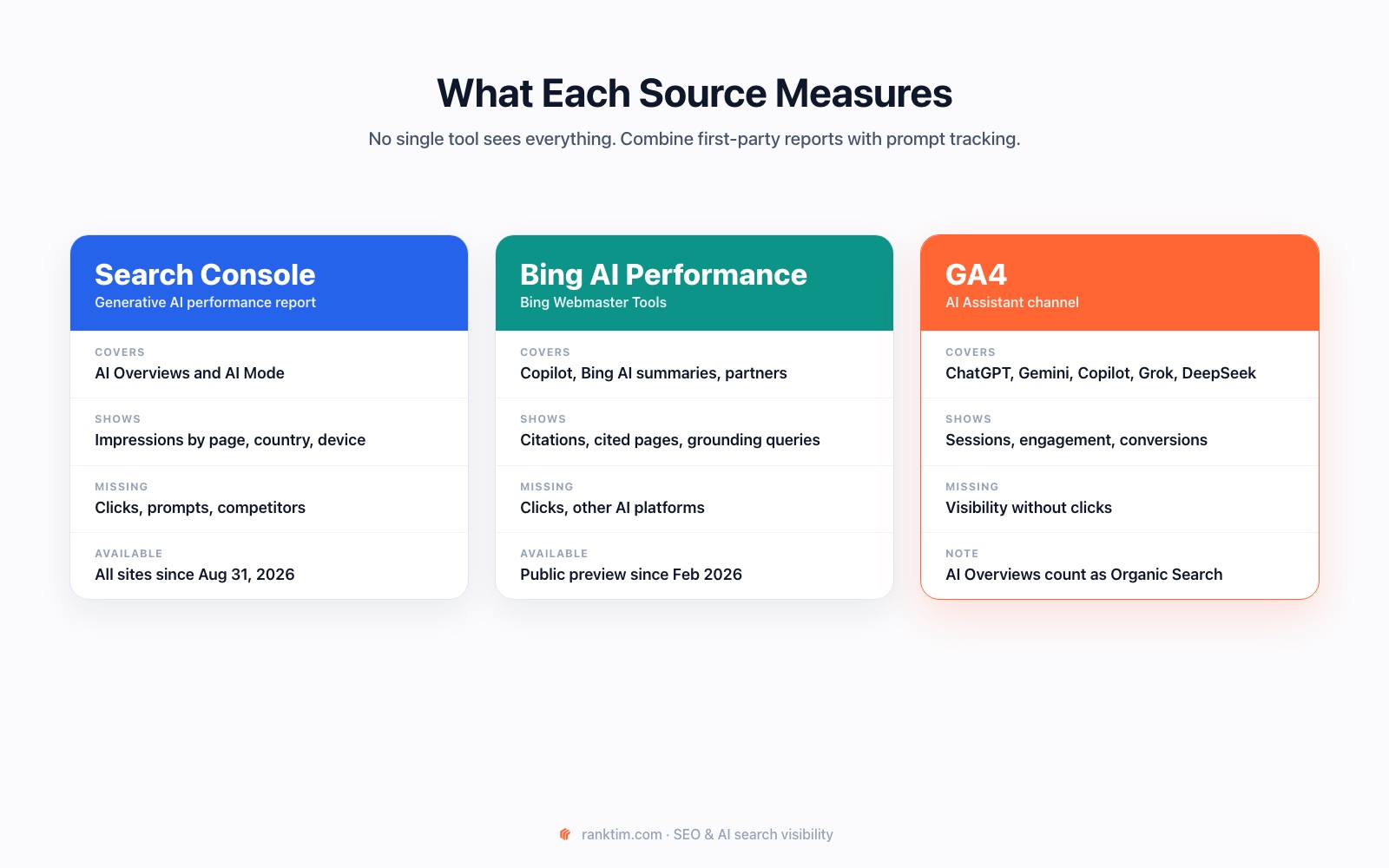
| Source | Covers | Key metrics | Blind spots |
|---|---|---|---|
| Search Console: Generative AI performance | AI Overviews, AI Mode | Impressions by page, country, device, date | No clicks, no queries, no competitors |
| Bing Webmaster Tools: AI Performance | Copilot, AI summaries in Bing, select partners | Total citations, average cited pages, grounding queries, page-level citations | No clicks, no non-Microsoft platforms |
| GA4: AI Assistant channel | Referral visits from AI assistants | Sessions, engagement, key events | Visibility without clicks; Google AI features sit in Organic Search |
| Prompt tracking | ChatGPT, Gemini, Perplexity, Copilot, Google AI Mode and others | Mention rate, citations, share of voice, sentiment | A sample of prompts, not every conversation |
Step 1: Use Search Console's Generative AI Performance Report
Google's Generative AI performance report shows how your site performs in generative AI features on Google Search. Google rolled it out to all websites worldwide on August 31, 2026.
What it shows:
- Impressions: how many times links to your site were shown in a generative AI feature, currently AI Overviews and AI Mode.
- Dimensions: pages, countries, dates and devices.
- Search type: text-based web results and multimodal results, which include Google Lens, Circle to Search and image uploads.
What to keep in mind:
- It reports impressions only. Clicks from AI features are still part of your overall Performance report under the Web search type, mixed with classic results.
- It may not appear if your site hasn't received enough impressions in generative AI features.
- Standard Performance report limits apply, including the 1,000-row table limit, and the newest data can be preliminary.
How to use it: compare the pages with the most AI impressions against the pages that drive the most conversions. Pages with high AI impressions but weak engagement often need a clearer answer or a stronger next step. Our guide on getting cited in AI Overviews and AI Mode covers how to improve them.
Step 2: Use Bing Webmaster Tools AI Performance
Microsoft introduced AI Performance in Bing Webmaster Tools as a public preview in February 2026. It shows how your content appears across Microsoft Copilot, AI-generated summaries in Bing and select partner integrations.
The report includes:
- Total citations: how many times your content was shown as a source in AI-generated answers in the selected period.
- Average cited pages: the average number of unique pages from your site cited per day.
- Grounding queries: a sample of the key phrases the AI used when retrieving content it cited.
- Page-level citation activity: citation counts for specific URLs.
- Visibility trends: citation activity over time.
Microsoft is careful about interpretation: citation counts don't indicate ranking, authority or the role a page played in an answer, and grounding queries represent a sample. Treat the report as a signal of where you're used as a source, not as a ranking report.
Step 3: Track AI Referral Traffic in GA4
GA4's default channel group includes an AI Assistant channel for users who arrive from sources like ChatGPT, Gemini, DeepSeek, Copilot or Grok. Sessions are assigned to it when the referrer matches GA4's list of AI assistants.
Important details:
- Google's AI Overviews and AI Mode are not included. That traffic is counted as Organic Search.
- The default channel group can't be edited, but you can create a custom channel group if you need different rules.
- Only clicks are counted. If someone reads an AI answer that recommends you and never clicks, GA4 has nothing to record. AI crawlers don't run analytics either.
Look beyond sessions: compare engagement and key events for the AI Assistant channel with other channels. Visitors from AI assistants have often read a summary first, so they may arrive with clearer intent. Our earlier guide on tracking LLM traffic in GA4 covers reports and explorations in detail.
Step 4: Fill the Gaps With Prompt Tracking
The biggest blind spot is visibility without clicks on platforms that don't offer webmaster reports, such as ChatGPT, Claude and Perplexity. The only practical way to measure it is to ask them.
Build a fixed set of prompts, from "best [category] for [audience]" to "[competitor] alternatives", and run them regularly. Our prompt research tutorial shows how to choose them. For each run, record:
- whether your brand is mentioned, and in what position
- whether your pages are cited as sources
- which competitors appear
- how your brand is described, and whether the description is accurate
AI answers vary by model, location, wording and time. Treat the results as a sample, keep the prompt set stable and look at trends over weeks, not single runs.
Put AI visibility and AI traffic in one report
Rank Tim tracks your brand's mentions and citations across ChatGPT, Google AI Mode, Gemini, Perplexity and Copilot, and connects to Google Analytics and Search Console so visibility, traffic and conversions sit side by side.
Start Your Free TrialStep 5: Build a Monthly AI Search Report
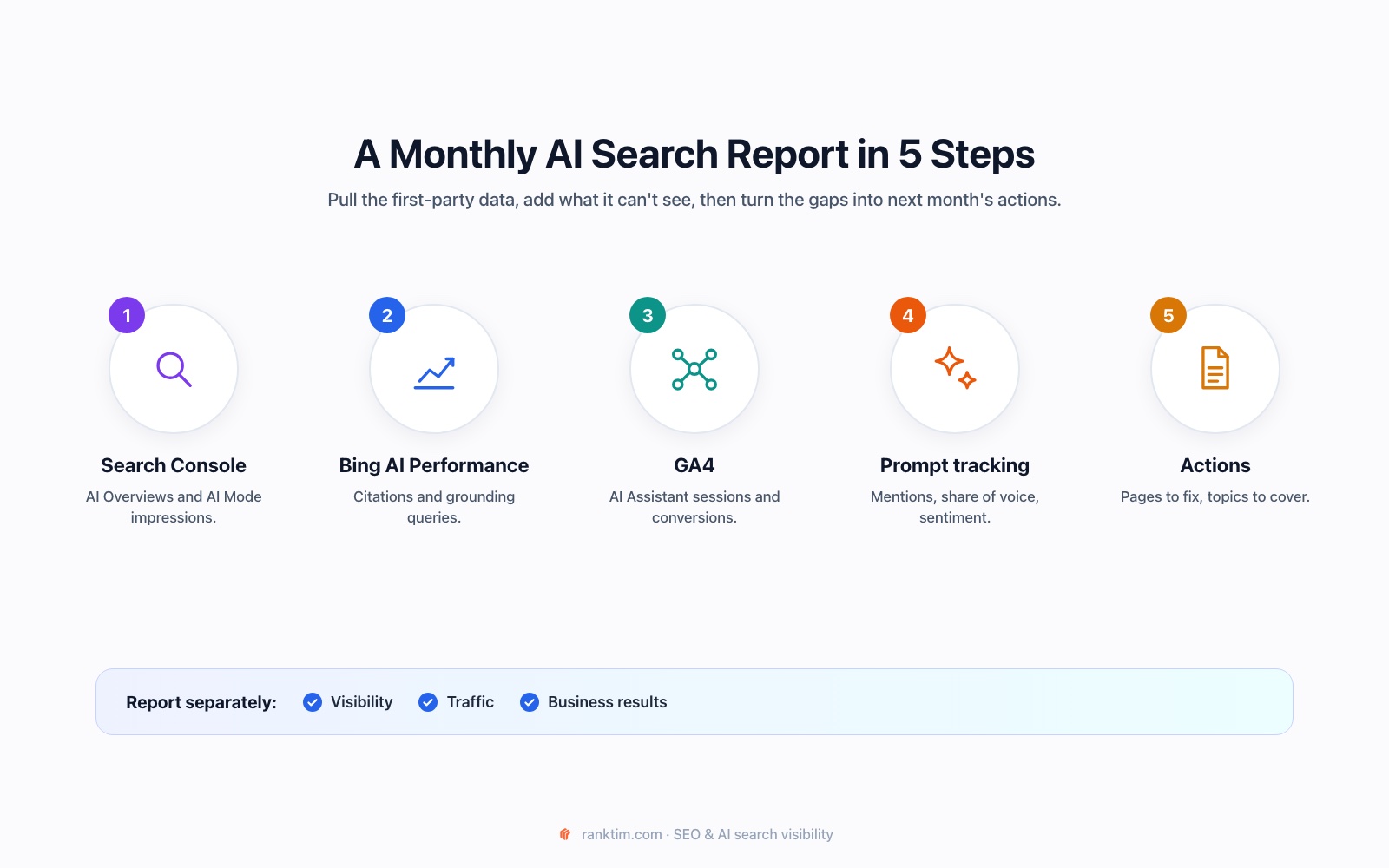
A useful report fits on one page and separates three layers:
| Layer | Metrics | Source |
|---|---|---|
| Visibility | AI Overviews and AI Mode impressions; Copilot and Bing citations; mention rate and share of voice in tracked prompts | Search Console, Bing Webmaster Tools, prompt tracking |
| Traffic | AI Assistant sessions by platform; organic sessions to pages cited in AI features | GA4 |
| Business results | Sign-ups, leads or sales from AI Assistant and organic traffic; branded search trend | GA4, CRM, Search Console |
| Actions | Pages to improve, prompts where competitors win, sources to target | All of the above |
End every report with three to five specific actions. A report that doesn't change what the team does next month is just a chart.
Step 6: Interpret the Numbers Carefully
- Impressions aren't attention. A link shown in an AI Overview may not be noticed.
- Citations aren't endorsements. Being used as a source doesn't mean your brand was recommended.
- Fewer clicks can still mean success if AI visibility and conversions grow while informational clicks decline.
- Correlation isn't causation. Model updates, seasonality and competitor changes all move these numbers. Note what changed on your site and when, and look for consistent patterns before drawing conclusions.
Where Rank Tim Fits
First-party reports tell you what Google and Microsoft see. Rank Tim adds the parts they can't show and keeps everything in one place:
- AI Visibility → Overview: mention rate, share of voice, ranking and sentiment across ChatGPT, Google AI Mode, Gemini, Perplexity, Copilot and Grok, with the pages AI cites most often.
- Answers and Citations: the full AI responses behind every number, plus the sources each model relied on.
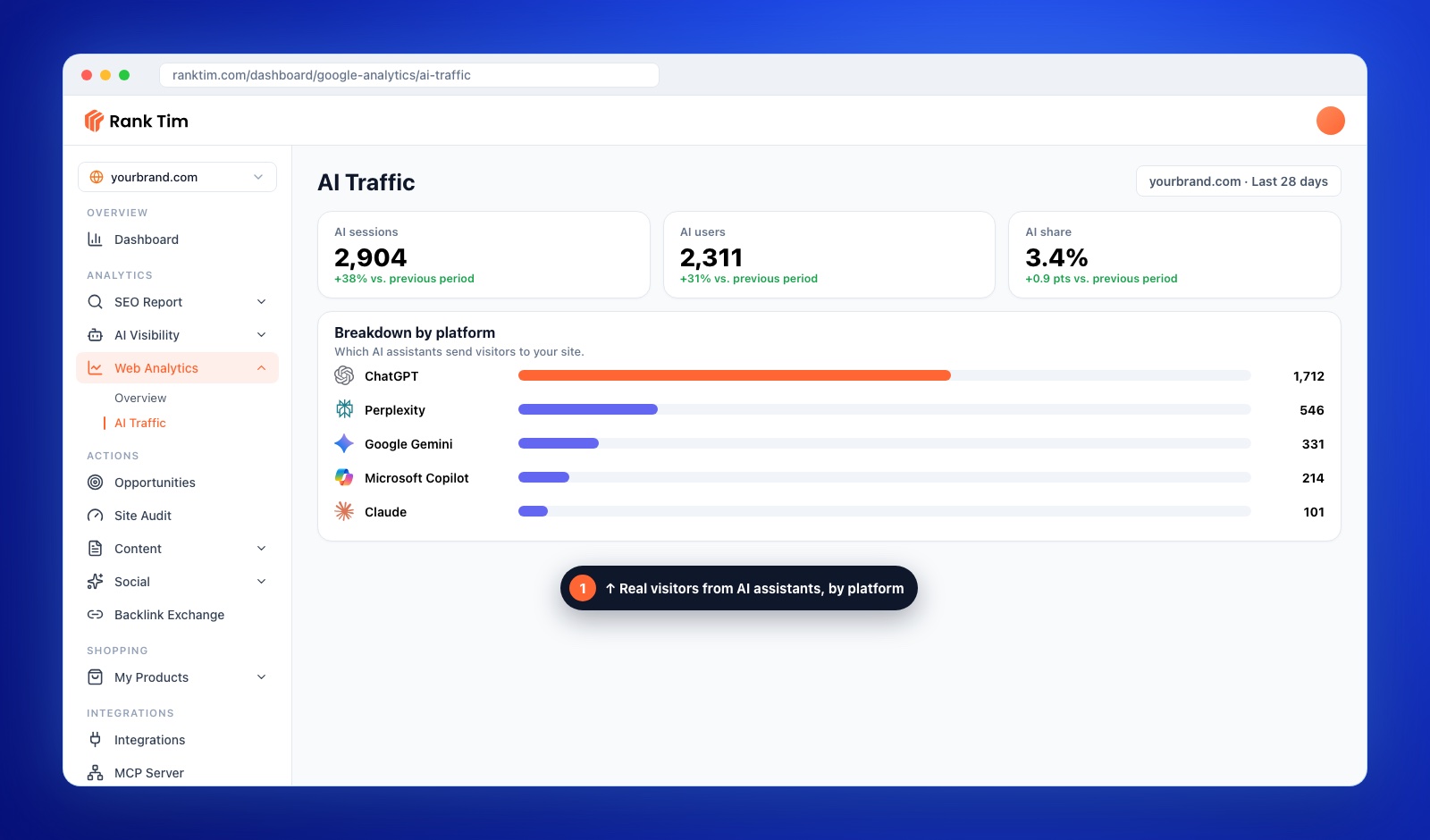
- Web Analytics → AI Traffic: with Google Analytics connected, AI sessions, AI users and AI share, broken down by platform, such as ChatGPT, Perplexity, Gemini, Copilot and Claude.
- Search Console integration: organic clicks and impressions next to your AI visibility data.
AI visibility scores in any tool, including ours, are measurements of a defined prompt sample, not a census of every AI conversation. Their value is in the trend and in the actions they point to. If you're comparing options, our guide on how to choose an AI visibility tool lists the criteria that matter.
FAQ
Can I see AI Overviews traffic in Search Console?
Yes. The Generative AI performance report shows impressions in AI Overviews and AI Mode by page, country, device and date. Clicks from these features are included in the overall Performance report under the Web search type.
Does Search Console show clicks from AI Overviews separately?
The Generative AI performance report focuses on impressions. Clicks are part of the overall Web search data, so you can't fully separate them from classic results there.
What is the AI Assistant channel in GA4?
It's a default GA4 channel for visits from AI assistants such as ChatGPT, Gemini, DeepSeek, Copilot and Grok. Traffic from Google's AI Overviews and AI Mode is counted as Organic Search instead.
How do I see if Copilot cites my website?
Use the AI Performance report in Bing Webmaster Tools. It shows citations of your pages in Microsoft Copilot, AI summaries in Bing and select partner experiences, along with page-level activity and sampled grounding queries.
How can I tell if ChatGPT mentions my brand?
There's no official webmaster report for ChatGPT mentions. Track a fixed set of relevant prompts over time, manually or with an AI visibility tool, and record mentions, citations and competitors.
Which metric matters most for AI search?
It depends on your goal, but business outcomes come first. Use visibility metrics, such as AI impressions, citations and mention rate, to diagnose, and conversions from AI and organic traffic to judge success.
How often should I report on AI search visibility?
Monthly works for most teams. Weekly checks are useful after major site changes or launches, but AI answers fluctuate, so short-term changes are often noise.
Sources
- Google Search Console Help: Generative AI performance report
- Google Search Central: AI features and your website
- Google Search Central: Optimizing for generative AI features on Google Search
- Microsoft Bing: Introducing AI Performance in Bing Webmaster Tools
- Google Analytics Help: Default channel group
- Google Analytics Help: Custom channel groups
Recommended Articles
- AI Crawlers and robots.txt in 2026: Which Bots to Allow
- How to Choose an AI Visibility Tool: 12 Criteria and a Buyer's Scorecard
- How to Track Brand Visibility in ChatGPT, Gemini and Perplexity
- How to Get Cited in Google AI Overviews and AI Mode
- What Is GEO? Generative Engine Optimization Explained
Measure What AI Search Is Really Doing for You
Track mentions, citations and share of voice across AI assistants, see AI referral traffic by platform and turn the gaps into next month's priorities.
Start for Free
Catalin Dinca
Written by Catalin Dinca