

How to Fix What AI Says About Your Brand: Wrong Facts, Old Prices and Negative Answers
 Catalin Dinca
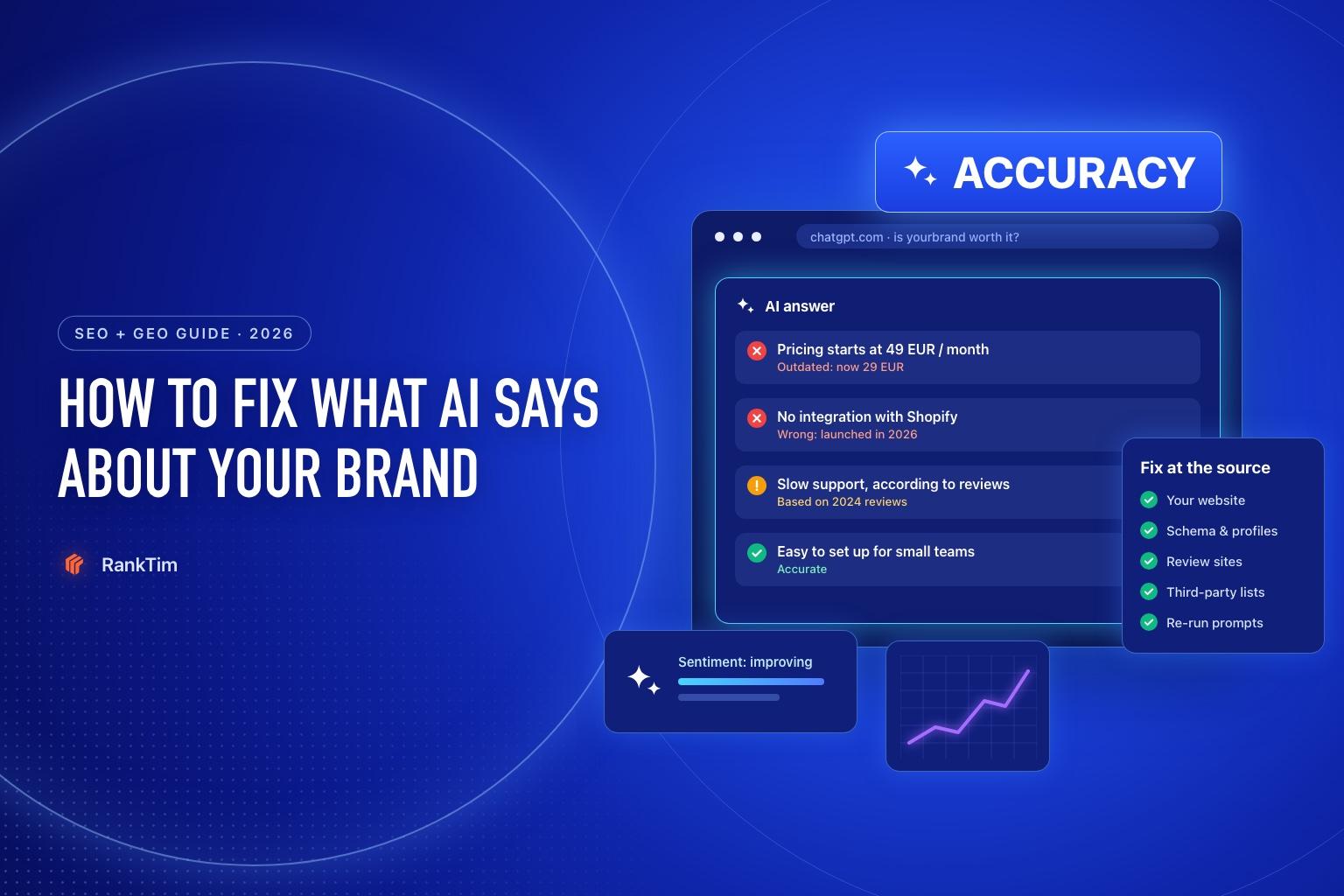
A prospect asks ChatGPT whether your product is worth it. The answer is confident, well written and wrong: it quotes last year's price, says you lack an integration you launched months ago and mentions a support complaint from 2024 as if it were current.
The prospect never visits your site to check. They move on to the competitor the answer recommended instead.
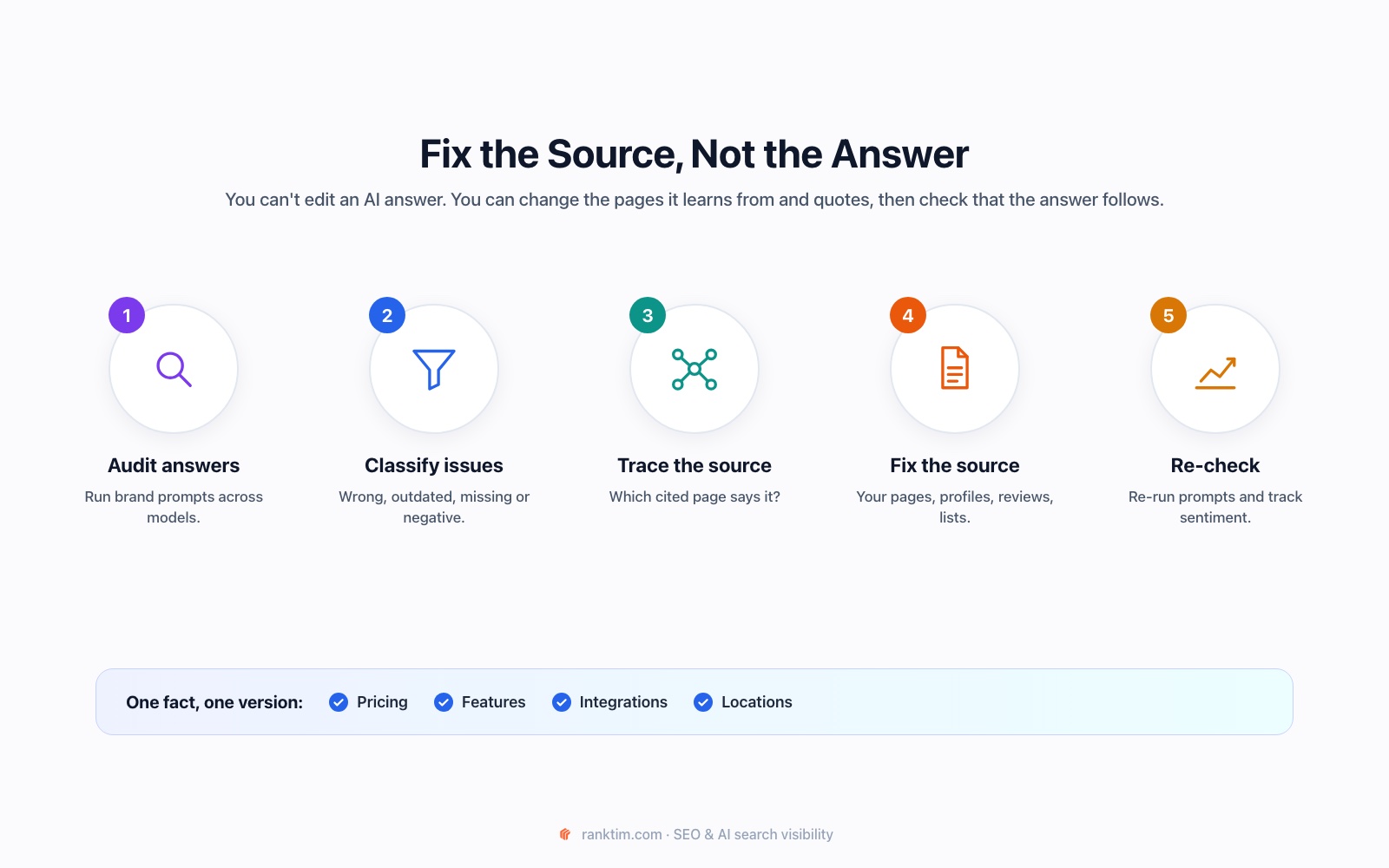
This happens more often than most teams realise, because nobody checks what AI says about their brand until a customer mentions it. This guide shows how to fix what AI says about your brand: how to find wrong, outdated or negative answers, trace each one to the source behind it, correct that source and confirm that the answers change.
Time needed: about two hours for the first audit, then 20 minutes a week to monitor brand prompts.
Why AI Gets Your Brand Wrong
AI assistants don't invent most of their mistakes. They repeat what they find, or what they learned from, and those sources are often out of date or inconsistent.
| Problem type | Typical example | Usual root cause |
|---|---|---|
| Wrong fact | "No Shopify integration" | The feature isn't described anywhere crawlable, or an old comparison says otherwise |
| Outdated fact | Last year's price, an old address, a discontinued plan | Old pages, cached listings and third-party reviews never updated |
| Missing brand | You're absent from "best X" answers | Weak presence on the sources AI uses for the category |
| Negative framing | "Users report slow support" | A cluster of old or unanswered reviews, or a popular forum thread |
| Confused identity | Mixed up with a similarly named company | No clear entity signals: inconsistent name, missing Organization schema and profiles |
The pattern is the same in every row: the fix is at the source, not in the answer.
Step 1: Build a Brand Prompt Set
Start with the questions customers ask about you specifically:
- "Is [brand] worth it?" / "[brand] reviews"
- "[brand] pricing" / "How much does [brand] cost?"
- "Does [brand] integrate with [tool]?"
- "[brand] vs [competitor]"
- "Is [brand] good for [use case or audience]?"
- "What are the downsides of [brand]?"
Add 10 to 20 of these, in every language you sell in. Our prompt research tutorial covers how to find the exact wording customers use.
Step 2: Run the Prompts and Read Full Answers
Run each prompt in ChatGPT, Gemini, Perplexity, Copilot and Google (check the AI Overview and AI Mode). Use a logged-out or private session where possible so your history doesn't shape the answer.
Read the full answers. A summary score tells you that something is off; only the text tells you what.
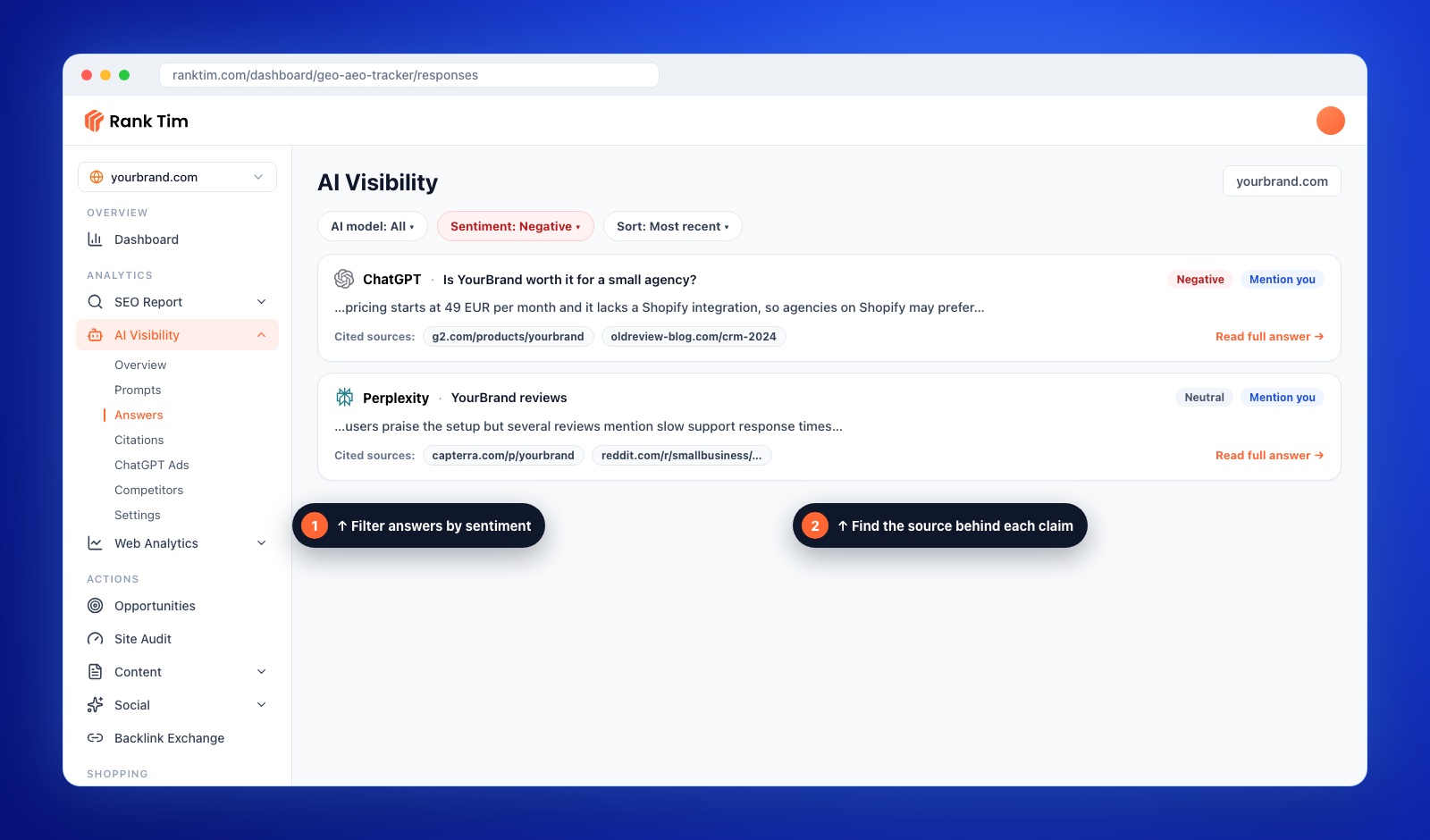
In RankTim, add these prompts to AI Visibility, run them across models and open Answers. You can filter by AI model and by sentiment (positive, neutral, negative, not mentioned), read each full answer and expand the cited sources behind it.
Step 3: Log Every Problem Claim
Create a simple log with one row per claim:
| Claim | Models | Type | Cited source | Correct fact |
|---|---|---|---|---|
| "Starts at 49 EUR / month" | ChatGPT, Copilot | Outdated | g2.com listing, old blog review | From 29 EUR / month since March |
| "No Shopify integration" | ChatGPT | Wrong | 2024 comparison article | Native integration since June |
| "Slow support" | Perplexity | Negative | Capterra reviews, Reddit thread | Median first response under 2 hours |
Prioritize claims that appear across several models and in commercial prompts (pricing, comparisons, "is it worth it"). Those cost you the most customers.
Step 4: Fix Your Own Website First
Your site is the one source you fully control, and AI systems check it when they can reach it.
- Publish the correct facts clearly, in text: pricing, plans, integrations, locations, opening hours. Not only in images, PDFs or JavaScript widgets.
- Create pages for the questions AI gets wrong: an integrations page, a pricing page with a "last updated" date, a page per major use case.
- Update or redirect outdated pages that still state old facts, including old blog posts and press releases.
- Make sure AI crawlers can access those pages. Our guide on optimizing your website for AI search covers robots.txt and rendering.
Step 5: Make Your Entity Unambiguous
If AI confuses you with another company, or mixes old and new information, strengthen your entity signals:
- Organization schema on your homepage with your official name, logo, URL and sameAs links to your profiles.
- One canonical description used on your website, LinkedIn, Crunchbase, review sites and directories.
- Consistent naming: the same spelling of your brand and product names everywhere.
- Up-to-date business profiles: Google Business Profile, Bing Places and Apple Business Connect if you have physical locations.
Our schema markup guide for AI search includes copy-ready Organization markup.
See every AI answer that mentions you, and its sources
RankTim stores the full answers from ChatGPT, Gemini, Perplexity, Copilot and Google AI for your prompts, with sentiment and cited sources, so you can trace each wrong claim back to the page it came from.
Start Your Free TrialStep 6: Correct the Third-Party Sources
Now work through the cited sources in your log:
- Review platforms (G2, Capterra, Trustpilot): update your vendor profile, pricing and feature list; most platforms let vendors edit these fields.
- Comparison and "best of" articles: email the author with the specific outdated claim, the correct fact and a link to proof. Editors usually welcome corrections that keep their content accurate.
- Directories and listings: claim and update them, or request removal of duplicates.
- Forum threads: reply as yourself, transparently, with the current facts. Don't argue and don't post anonymously.
Our citation outreach tutorial has templates for contacting editors.
Step 7: Address the Reasons Behind Negative Sentiment
Negative framing in AI answers usually reflects real feedback. Corrections won't fix a real problem, so:
- Respond to critical reviews with what changed, factually and politely. Your replies are part of what models read.
- Fix the underlying issue if the criticism is still valid.
- Ask recent satisfied customers for reviews. A steady flow of current reviews outweighs old complaints over time.
- Publish evidence: support response times, uptime, changelogs, customer results.
Step 8: Use the Feedback Buttons, But Don't Rely on Them
ChatGPT, Gemini and Google's AI features let users rate answers and report problems. Use them when you see a clear factual error; it costs nothing. But treat them as a minor signal: the durable fix is still the public sources the answer is built from.
Step 9: Re-check Every Week
AI answers change between runs and as sources are recrawled. Re-run your brand prompts weekly and track:
- Which logged claims have disappeared or been corrected
- Sentiment per model over time
- Whether your own pages now appear among the cited sources
Our tutorial on tracking your brand in ChatGPT, Gemini and Perplexity shows how to automate this.
AI Brand Accuracy Checklist
- 10 to 20 brand prompts in every market language
- Full answers read across ChatGPT, Gemini, Perplexity, Copilot and Google AI
- Every wrong, outdated or negative claim logged with its cited source
- Correct facts published as text on your own site, with update dates
- Organization schema and one canonical brand description everywhere
- Vendor profiles on review sites updated
- Editors of outdated articles contacted with corrections
- Critical reviews answered and recent reviews requested
- Brand prompts re-run weekly
Frequently Asked Questions
Can I ask OpenAI or Google to correct an answer about my company?
You can report incorrect answers through the feedback options in their products, but there is no general service for editing answers about a brand. Lasting changes come from correcting the public sources those answers rely on.
How long does it take for AI answers to update?
Answers that cite live sources can change within days or weeks of those sources being updated and recrawled. Information that comes from a model's training data updates more slowly, often only with newer model versions.
What if the negative information is true?
Then fix the underlying issue, say publicly what changed and build a record of newer, positive evidence. Trying to hide valid criticism rarely works and can damage trust further.
Should I track competitors' brand prompts too?
Yes. Comparing how AI describes you and your main competitors shows where the gap comes from. RankTim's Competitors tab summarises how AI describes each one.
You can't control what AI says about your brand directly. But almost everything it says comes from somewhere you can see, and usually from somewhere you can change.
Know What AI Tells Your Customers About You
Track brand prompts across AI assistants, catch wrong or negative answers early and see whether your fixes reach the answers.
Start Tracking
Catalin Dinca
Written by Catalin Dinca