

How to Create Gift Guides Google and AI Engines Recommend
 Catalin Dinca

A gift guide that promises “10 perfect ideas for everyone” is not especially useful to a shopper or a search engine. People shop for a specific person, budget and situation: gifts for a coworker under $50, for a coffee-loving dad, or for an eight-year-old who enjoys science.
Those constraints help shoppers narrow their choices and give search systems useful context. ChatGPT describes shopping research as a comparison shaped by preferences, budget and trade-offs. Its results may use merchant data alongside public information from retail websites. A guide that explains why one option fits a particular buyer gives those systems more to work with than a list of product names.
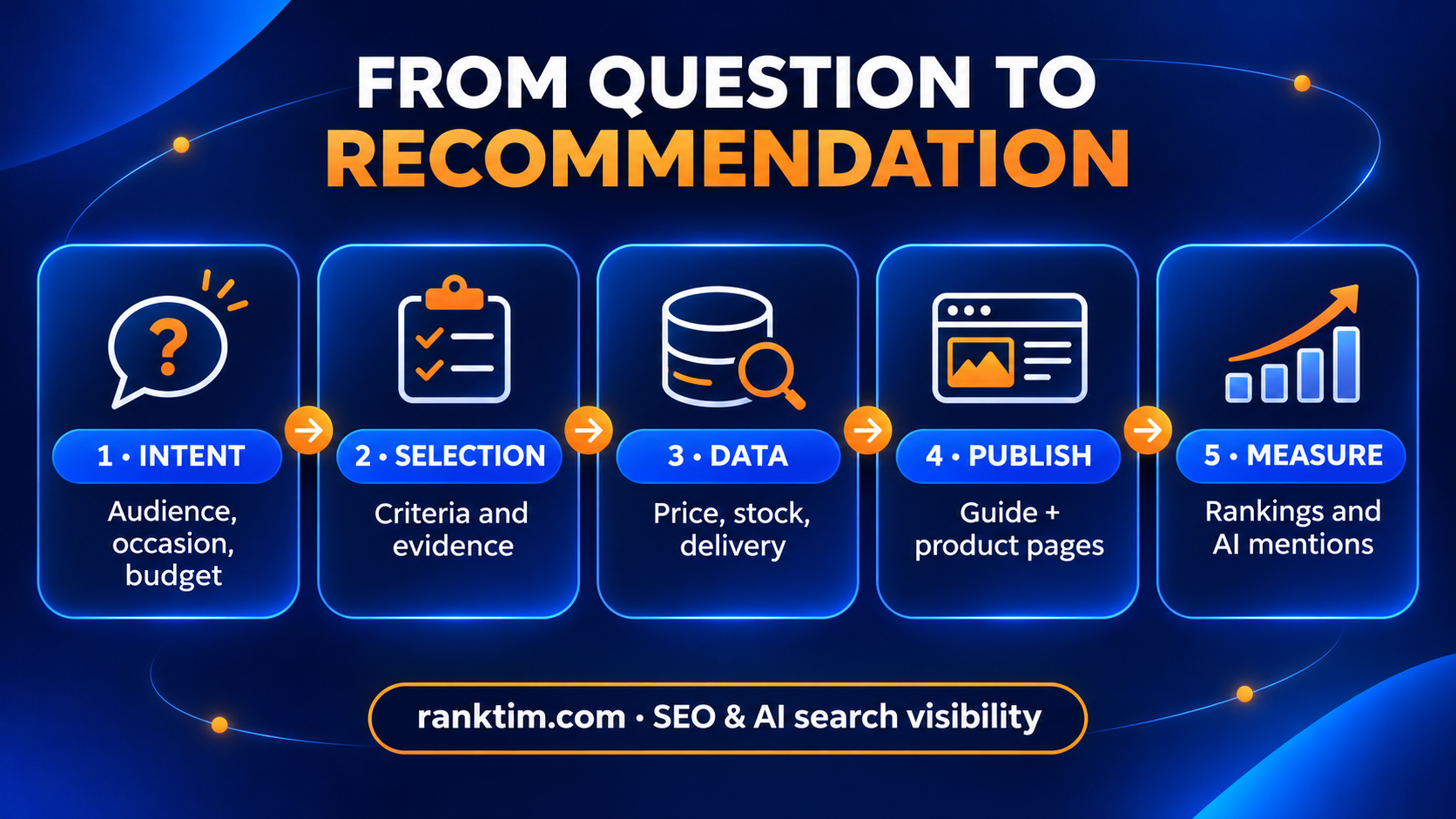
Start with a real shopping question. Then choose and explain the products, check their commercial details, and measure whether the page appears in search results and AI answers.
TL;DR
- Target a precise combination of recipient + occasion + budget or need, not a broad topic such as “Christmas gifts.”
- Put the direct answer and top recommendations near the beginning, then explain your selection method.
- For every product, state who it suits, why it was selected, its limitation and current commercial details.
- Link the guide to category and product pages, but keep Product markup on individual product pages.
- Synchronize titles, prices, availability and images across your website, Google Merchant Center and commerce feeds.
- Refresh the page when stock, prices or seasonal deadlines change, and measure Google rankings separately from AI mentions.
Table of Contents
- What makes a gift guide easy to recommend
- Step 1: Target a real shopping intent
- Step 2: Help the shopper decide
- Step 3: Add evidence worth citing
- Step 4: Connect the guide to accurate product data
- Step 5: Use images that help the decision
- Step 6: Build internal links around the shopping journey
- Step 7: Publish early and refresh when details change
- How to measure SEO and GEO performance
- Publishing checklist
- Frequently asked questions
- Sources and further reading
What makes a gift guide easy to recommend
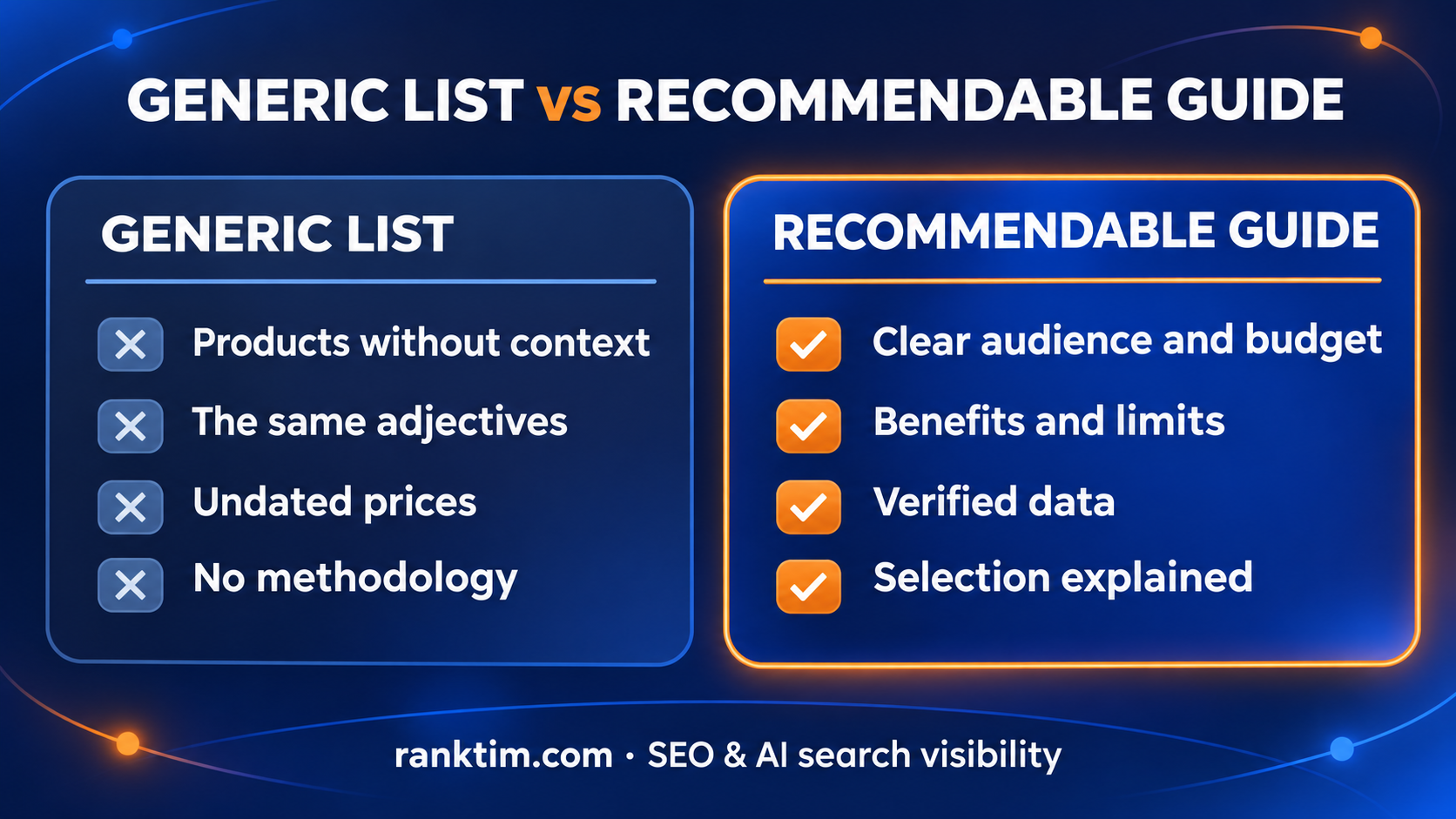
An AI engine does not need more adjectives. It needs information that reduces uncertainty. For each recommendation, it should be able to extract clear answers to questions such as:
- Who is this product best for?
- Which problem or interest does it address?
- What is the realistic price range?
- What makes it different from the other options?
- Which trade-off should the buyer know about?
- Is it in stock, and when can it arrive?
OpenAI says products in ChatGPT are selected for their relevance to the user's intent and context. Merchant selection can consider availability, price, quality and whether the seller is the maker or primary seller. Google similarly recommends accurate price, availability, shipping and return data supplied through structured data and Merchant Center.
The guide explains why an item suits someone. Its product page and feeds confirm the price, availability and purchase terms.
Step 1: Target a real shopping intent
Start with phrases a shopper could genuinely use:
| Formula | Strong example | Why it works |
|---|---|---|
| recipient + budget | gifts for coworkers under $50 | immediately narrows the options |
| interest + recipient | gifts for coffee-loving dads | supports expert recommendations |
| problem + context | last-minute gifts with next-day delivery | addresses an urgent constraint |
| life stage | gifts for new mothers | requires care, utility and context |
| comparison | useful gifts vs experience gifts | helps the shopper choose a direction |
Check three sources before committing to a topic: Search Console queries, customer-support questions and prompts where competitors already appear. Our guide to finding the prompts your customers ask AI provides a repeatable process.
Do not create ten pages that differ by a single word. A strong “coworker gifts under $50” page can naturally cover Secret Santa gifts, gifts for teammates and office gift exchanges. Split pages only when the product selection and the advice genuinely change.
Step 2: Help the shopper decide
A useful structure is easy for people to scan and for search systems to extract:
- Give the direct answer in the first 100–150 words. State which product types work best and for whom.
- Add a concise comparison table. Include “best for,” price range and the reason for choosing each item.
- Explain the selection method. Cover quality, availability, reviews, shipping, returns and firsthand experience.
- Organize by need or budget. Do not simply repeat the store's category grid.
- Give each recommendation a benefit and a limitation. An honest trade-off improves credibility.
- Answer real objections in an FAQ. Cover delivery, returns, sizing, warranty and personalization.
A practical recommendation block looks like this:
Best for: a coworker who works from home
Why we recommend it: useful every day, neutral design, suitable for a Secret Santa budget
Watch out for: confirm the dimensions before ordering
Price checked: $39 on November 6, 2026
Dating the price matters. Google and ChatGPT both note that prices and availability can change or reach some shopping surfaces with a delay. Do not present a volatile number as a permanent fact.
See whether AI recommends your products
Rank Tim runs the real shopping questions your customers ask in ChatGPT, Google AI, Gemini and Perplexity, then shows which products, pages and competitors get cited.
Get a Free AI Visibility AuditStep 3: Add evidence worth citing
Give search systems information they can use as a source, beyond repeated keywords or a list of products:
- original product tests or photography;
- explicit and consistent selection criteria;
- commentary from the specialist who made the selection;
- original data, such as common returns, delivery times or customer favorites;
- specific pros and cons;
- a visible last-reviewed date and short update history.
If you did not test a product, do not imply that you did. Explain what you evaluated through specifications, verified reviews and manufacturer information. Readers can judge a recommendation better when they know how you evaluated it. For a deeper methodology, see how to create original research AI and journalists cite.
Step 4: Connect the guide to accurate product data
Your guide should link to the canonical page for every recommended product. That page should contain complete, consistent commercial data. Google recommends using Product structured data and a Merchant Center feed together to maximize eligibility and help verify information.
Check the following on each product page:
- a clear title without unnecessary promotional text;
- materials, dimensions, compatibility and intended use;
- price, currency, availability, condition and variants;
- GTIN, MPN and brand where applicable;
- clear images, including detail and in-use views;
- shipping cost and delivery estimate;
- return policy and warranty;
- valid Product/Offer markup matching the visible page.
Do not add a Product entity for every item on a category page merely to chase rich results. Google's merchant-listing documentation is explicit: these experiences are designed for pages focused on one product or variants of the same product. Google recommends putting the markup on individual product pages, not list or category pages.
Eligible merchants can also send direct product feeds to OpenAI's commerce infrastructure. Its documentation recommends a complete snapshot at least daily and current fields for title, description, images, price and availability. OpenAI says Shopify Catalog is already integrated into ChatGPT shopping, but the public product page still matters for source information and final buyer verification.
Step 5: Use images that help the decision
The featured image should communicate the guide's context, not squeeze ten tiny products into a collage. Relevant editorial photography, treated consistently with the brand identity and paired with a short readable title, works well for distribution.
Within the article, combine:
- one real contextual photograph;
- clean individual product images;
- in-use images that show scale and material;
- a table or diagram for comparison;
- descriptive alt text without keyword stuffing.
For product feeds, follow each platform's requirements. Merchant Center warns that weak images, contradictory data and incomplete variants can limit eligibility. Its 2026 specification also added an optional video_link attribute for showing products in use or from multiple angles.
Step 6: Build internal links around the shopping journey
A seasonal guide should not remain an island. Link to it from:
- the relevant category page;
- product-selection articles;
- the previous seasonal guide through an update or redirect;
- pages for the same recipient or use case;
- the homepage or seasonal hub while demand is active.
From the guide, link to product and category pages with descriptive anchors such as “beginner coffee set,” not “click here.” Link to shipping and return policies when those details affect the decision.
If you reuse the same guide each year, keep a stable URL and update the selection, title year and evidence. Changing the slug annually fragments links and page history. Our topic-cluster and internal-linking tutorial explains how to connect the guide to the rest of your site.
Step 7: Publish early and refresh when details change
Publish before peak demand so the page can be discovered, indexed and improved. During Black Friday and holiday season, review these items every week:
- products that went out of stock;
- changed prices and promotions;
- last-order delivery deadlines;
- broken links and redirects;
- new products worth adding;
- new questions from support and Search Console.
During the final days, move deliverable items and digital or local options to the top. A strong recommendation that cannot arrive in time is a poor answer.
How to measure SEO and GEO performance
Track two sets of signals.
In Google Search, track impressions, clicks, CTR, average position, new queries, rich-result eligibility and revenue attributed to the guide. Segment queries containing gift terms, recipients, budgets and occasions.
For AI answers, track brand mention rate, recommended products, position in the answer, cited pages, price accuracy and the competitors appearing instead. Run the same prompt set regularly rather than checking once.
Useful monitoring prompts include:
- “What are the best coworker gifts under $50?”
- “Recommend a gift for a coffee-loving dad that ships in the US.”
- “Compare five educational gifts for eight-year-olds.”
- “Which gift can I order today and receive tomorrow in New York?”
Connect movement to specific actions such as a price refresh, a new comparison table, original photography, new reviews or a synchronized feed. Otherwise, you can see change without learning what caused it.
Publishing checklist
- The topic includes a recipient and a real constraint.
- The direct answer appears in the introduction.
- A comparison table summarizes the choices.
- The selection methodology and author are visible.
- Every item has a reason, ideal audience and limitation.
- Prices are dated and stock has been checked.
- Product pages have valid Product/Offer data.
- Commerce feeds match the website.
- Images are clear and alt text is useful.
- Relevant internal links point both to and from the guide.
- The FAQ answers real buyer questions.
- The guide has an update schedule and monitoring prompts.
Frequently asked questions
How long should a gift guide be?
Long enough to cover the decision. A page with 8–12 well-explained recommendations may be more useful than one with 50 products and a sentence for each. Optimize for buyer questions, not a word-count target.
Should the year appear in the title?
Yes, when the selection, prices or availability are time-sensitive and you genuinely update the page. Usually, keep the slug stable and change the year in the title, meta title and content after completing the review.
Can I reuse manufacturer descriptions?
Use them to verify specifications, but do not copy them as editorial recommendations. Add your own criteria, comparison, ideal audience and limitations. Those details make the guide distinctive and useful.
Does FAQ schema help a page appear in AI answers?
There is no guarantee. A visible, well-written FAQ helps readers and makes answers easier to extract, but markup cannot force Google or an AI model to cite the page. Verifiable content and accurate commerce data remain the priority.
Is optimizing the guide enough without a product feed?
Not for a retailer seeking complete commercial visibility. A guide can earn editorial traffic and citations, but product feeds and product pages supply price, stock, variants and shipping. The strongest strategy uses all three together.
Sources and further reading
- OpenAI: Shopping with ChatGPT Search
- OpenAI Developers: Product feeds and Agentic Commerce
- OpenAI: Using shopping research in ChatGPT
- Google Search Central: Product structured data
- Google Search Central: Share your product data with Google
- Google Merchant Center: Product data specification
- Featured photograph: Microsoft Edge on Unsplash, used under the Unsplash License and adapted to the Rank Tim visual style.
Turn Gift Guides Into Recommendations and Sales
Plan content around buyer questions, publish it automatically and track whether your brand earns mentions across Google and AI search.
Start Free
Catalin Dinca
Written by Catalin Dinca