

How to Optimize Your Google Business Profile for AI Recommendations in 2026
 Catalin Dinca
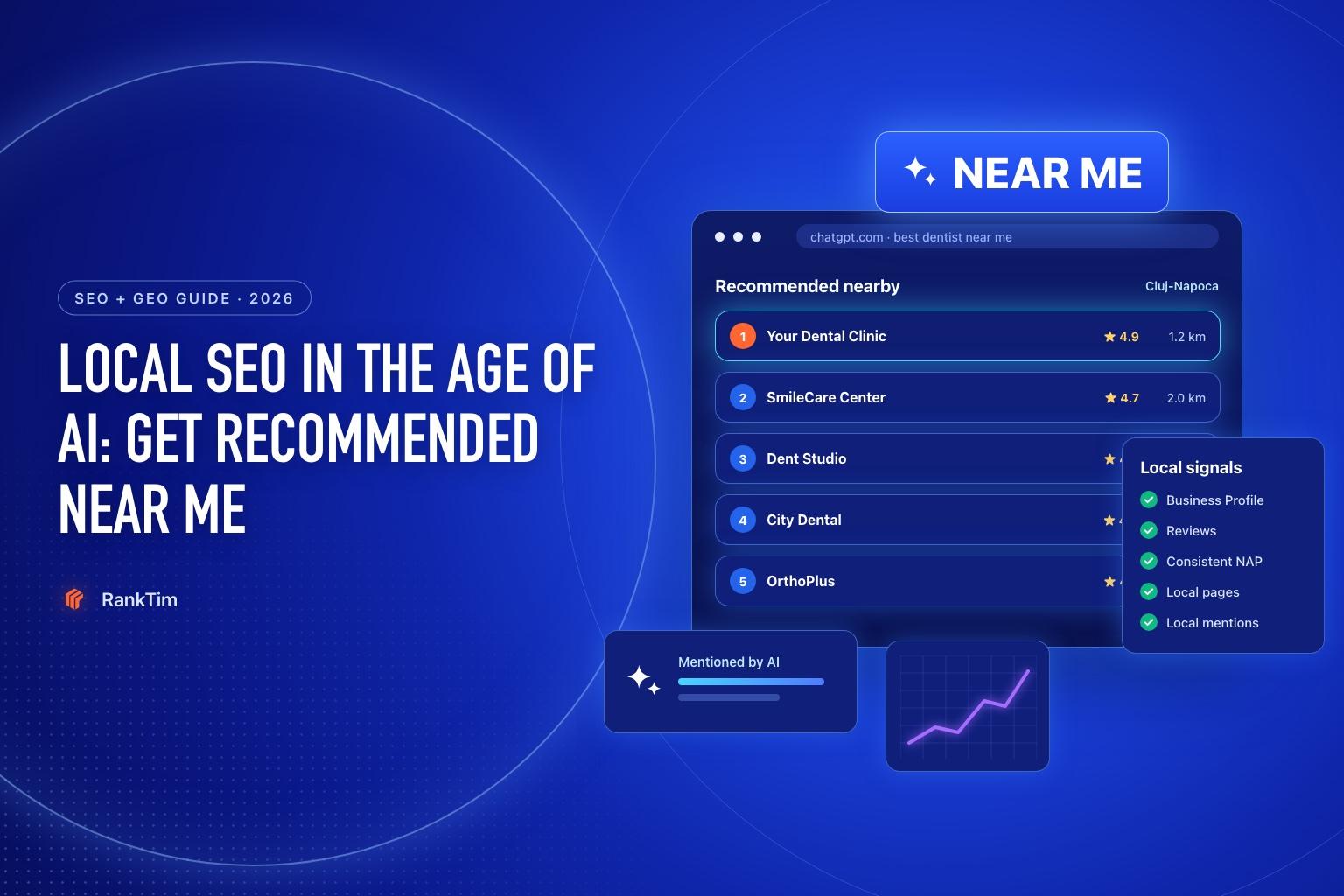
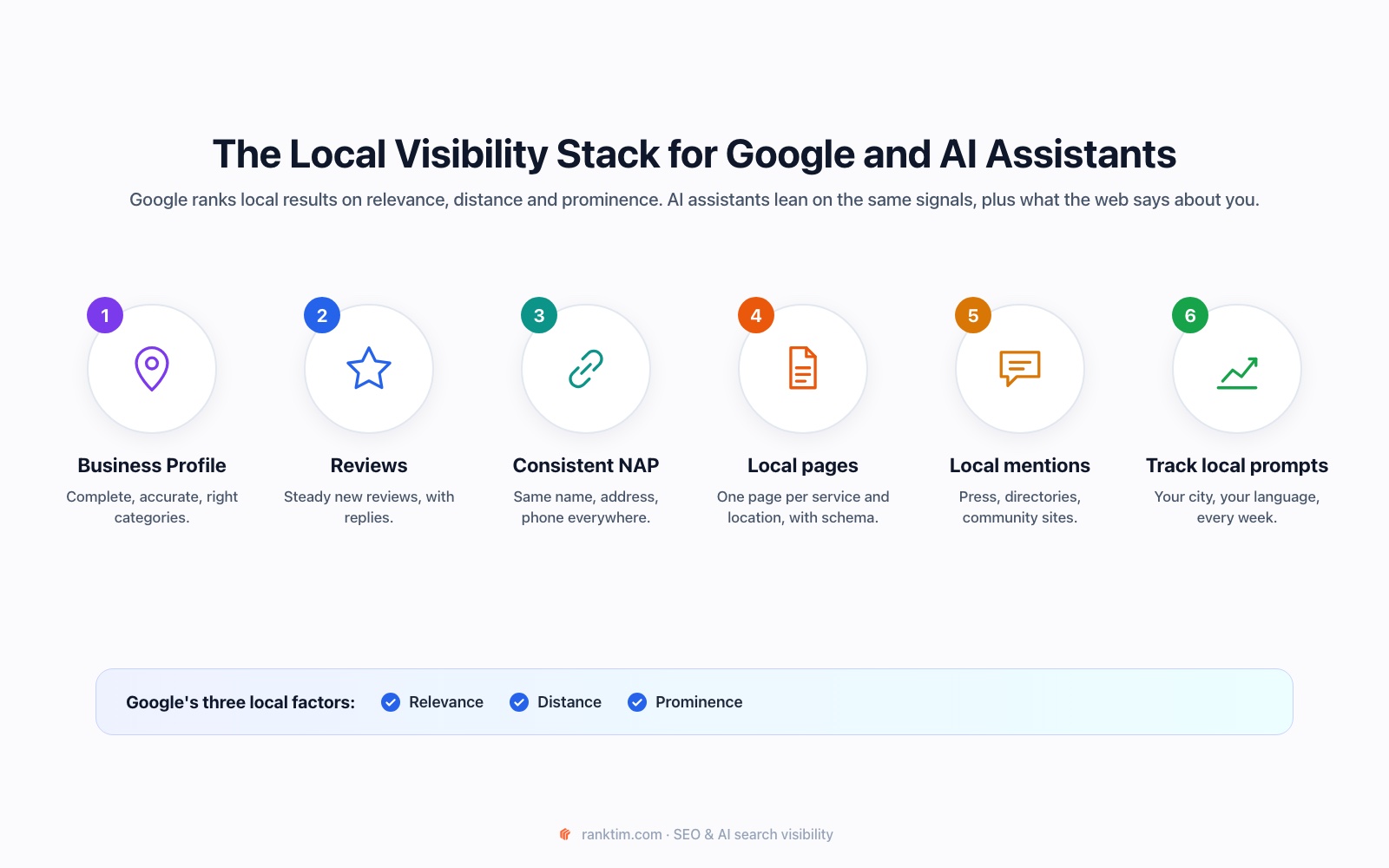
When someone asks an AI assistant “what is the best dentist near me for an emergency appointment?”, the answer is not built from your homepage alone. It is assembled from local signals: your business profile, reviews, categories, service descriptions, location, opening hours, local pages and what trusted sites say about you.
That makes your Google Business Profile one of the most important starting points for local AI visibility. It gives search systems a structured description of who you are, where you operate and what you do. It also connects your business to the reviews and local entities that assistants use when they recommend nearby options.
This guide shows how to optimize your Google Business Profile for AI recommendations in 2026. The goal is not to stuff keywords into your listing. The goal is to make the same business facts clear, complete and consistent everywhere a search or answer engine may look.
Time needed: about 90 minutes for the first cleanup, then 20 minutes a week for reviews, changes and prompt tracking.
What AI Needs to Know Before It Recommends a Local Business
Local recommendations become easier when five questions have one clear answer:
| Question | Evidence to align |
|---|---|
| What do you offer? | Primary category, services, products, website copy and reviews |
| Who is it for? | Service pages, descriptions, customer language and examples |
| Where do you operate? | Address, service area, local landing pages and directory profiles |
| Can people trust you? | Reviews, responses, photos, credentials and third-party mentions |
| Are you available now? | Opening hours, holiday hours, booking links and current updates |
If each source describes your business differently, the system has to resolve the conflict before it can confidently recommend you. Consistency reduces that uncertainty.
Step 1: Claim and Complete the Core Profile Fields
Start with the fields that define your local entity. Open your Google Business Profile and verify the basics:
- Business name exactly as it appears on your storefront and website
- Correct primary category
- Relevant secondary categories, without adding categories just for extra reach
- Full address or accurate service area
- Local phone number and website URL
- Current opening hours and special hours
- Booking, ordering or appointment URL where relevant
- Business description written for customers, not as a list of keywords
The primary category is especially important because it gives the profile its strongest classification. Choose the category that best describes the main service customers pay you for. Add a secondary category only when it represents a genuine part of the business.
Step 2: Describe Services in Customer Language
The Services section is where many businesses stop too early. They add a service name and leave the description empty, or they use internal terms that customers never search for.
For each important service, write a short description that answers:
- What is the service?
- Who is it for?
- What problem does it solve?
- What should the customer do next?
For example, a generic entry called “Dental services” gives very little context. A specific entry such as “Same-day emergency dental appointment for a broken tooth or severe pain” tells the system and the customer much more about the situation you handle.
Do not copy the same paragraph into every service. Create distinct descriptions for distinct jobs. The more clearly each service maps to a real customer question, the easier it is to match your profile to long-tail searches such as:
- Best emergency dentist near me open on Saturday
- Local accountant for a freelance designer with EU clients
- Family lawyer near me for a first consultation
- Quiet coworking space near the city center with meeting rooms
Step 3: Add Products, Attributes and Proof
Complete the details that help a customer decide whether you fit. Depending on the business, this may include products, price range, accessibility features, parking, payment methods, appointment requirements or amenities.
These details matter because local questions are often constraint-based. “Best restaurant near me” is broad. “Best vegetarian restaurant near me open late with outdoor seating” is a much more useful prompt, and the answer depends on specific attributes.
Add proof wherever the profile supports it:
- Clear photos of the entrance, interior, team, products and completed work
- Recent updates that reflect what is actually available
- Accurate menus, service lists or product information
- Credentials, certifications or memberships where relevant
- A booking or contact path that works on mobile
Avoid adding claims that are difficult to verify. “The best in town” is not evidence. A specific service, a current photo and a review describing the experience are much stronger signals.
Step 4: Build a Review System That Produces Useful Detail
Reviews are not only a reputation asset. They are a source of natural language about the problems you solve, the service people received and the location or situation in which they chose you.
Ask real customers for honest reviews after a completed interaction. Make the request easy, but do not script the words they must use or offer incentives for positive sentiment. The best review system is consistent and policy-safe.
Respond to reviews in a way that adds useful context:
- Thank the customer by name when appropriate.
- Mention the service or experience without exposing private details.
- Address concerns directly and invite the person to continue the conversation privately.
- Use the response to clarify a real process, such as appointment times or service areas.
Do not paste the same response under every review. Repetition makes the profile look neglected and adds no useful context for future customers or systems reading it.
Step 5: Align the Profile with Your Website
Your Google Business Profile and website should reinforce each other. The profile may be the first source a local customer sees, but the website supplies the depth needed to verify the recommendation.
Create or improve the pages that support your most valuable local questions:
- One page for the main service
- One page for each important location or service area, when the differences are real
- A clear contact or booking page
- About and team information that supports trust
- FAQs that answer timing, pricing, eligibility or preparation questions
Use the same service names and business facts across these pages. Add LocalBusiness or another relevant schema type where it accurately describes the page, and make sure the visible content supports the structured data.
Do not create dozens of nearly identical location pages with only a city name changed. A useful local page contains genuinely local information, such as the team serving that area, access details, local examples or the services that are actually available there.
Step 6: Strengthen Local Mentions Outside Your Profile
A complete Business Profile is a foundation, not the entire local presence. AI assistants also learn from sources outside Google: local directories, industry associations, news sites, review platforms, event pages and community discussions.
Make a short list of the sources that matter in your category and check:
- Is your business listed?
- Is the name, address, phone and website correct?
- Is the category or service description accurate?
- Are the links and opening hours current?
- Do customers mention you in the places people in your market trust?
Prioritize quality over quantity. Ten accurate, relevant listings are more useful than a large collection of abandoned directories. If your competitors are repeatedly cited in local comparisons and you are absent, that is a visibility gap worth investigating.
Step 7: Create a Local AI Prompt Set
To know whether your work changes recommendations, track the questions customers actually ask. Build 20–30 prompts across four groups:
- Discovery: best [service] near me, top [category] in [city]
- Constraint: [service] near me open on Saturday, [provider] with parking or accessibility
- Problem: who can help with [specific problem] in [city]?
- Comparison: [service] A vs [service] B, alternatives to [competitor] in [city]
Write prompts in the language customers use. Include the city, neighborhood, service area and practical constraints when they change the recommendation.
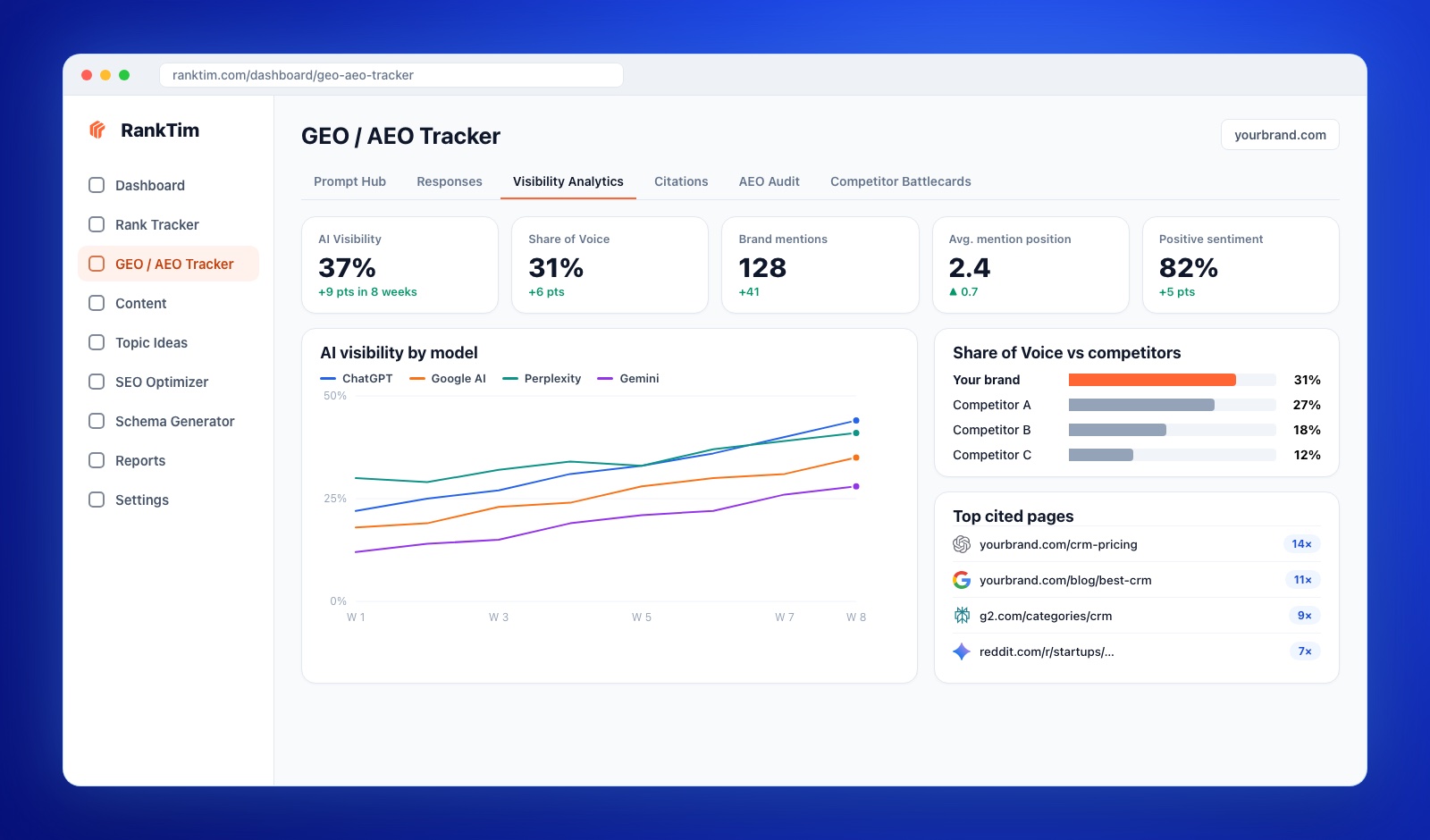
Track the prompts consistently across ChatGPT, Gemini, Perplexity, Copilot and Google AI where available. Record whether your business is mentioned, where it appears, what facts the answer gets right or wrong and which sources are cited.
Step 8: Turn Gaps into Local Actions
When you are absent from a recommendation, do not immediately add more keywords. Diagnose the missing signal:
| What you see | Likely gap | Next action |
|---|---|---|
| You are not classified for the service | Category or service description is unclear | Review the primary category and create a dedicated service page |
| A competitor appears for a specific constraint | Missing attribute or proof | Add the accurate attribute, photos and a page that explains it |
| You are mentioned but the facts are wrong | Inconsistent information | Align the profile, website, directories and review responses |
| You rank locally but are absent from AI answers | Weak external corroboration | Improve relevant local mentions and track the cited sources |
| You appear for the city but not the neighborhood | Location signal is too broad | Add useful neighborhood context and verify service-area coverage |
Make one or two changes at a time, then rerun the same prompt set after the information has had time to be discovered. A controlled process makes it easier to connect the action to the result.
Step 9: Review the Profile Every Week
Local information changes often enough that a one-time optimization is not enough. Add a short maintenance routine:
- Check opening hours and upcoming special hours.
- Respond to new reviews.
- Add a current photo or update when there is something genuinely new.
- Check booking, phone and website links.
- Review new customer questions and add them to your prompt set.
- Compare local AI mentions and cited sources with the previous week.
Keep a change log. Note the date, the profile or website change, the prompts it should influence and what happened after the next tracking cycle.
Frequently Asked Questions
Does a Google Business Profile affect ChatGPT recommendations?
It can contribute to the local business information available to search and answer systems, especially when the profile is complete and supported by consistent website, review and directory signals. It is one part of a broader local visibility system, not a guarantee of inclusion.
How many reviews does a local business need?
There is no universal number that guarantees a recommendation. Focus on legitimate, recent and detailed feedback from real customers, plus thoughtful responses. Relevance and trust matter more than chasing an arbitrary count.
Should I add every possible Google Business Profile category?
No. Use the most accurate primary category and only genuine secondary categories. Irrelevant categories can create a worse customer experience and make your business classification less clear.
Should I create a page for every city I serve?
Only when you can provide genuinely useful local information and the service is actually available there. Thin, duplicate location pages rarely help customers and can weaken the site.
How can I track whether AI recommends my local business?
Create a stable set of local prompts, run them across the main AI models on a schedule and track mentions, position, sentiment and cited sources. Our brand visibility tracking tutorial explains the broader setup, while the long-tail AI visibility keyword map guide helps you expand the prompt set from real customer questions.
Local AI recommendations are built from clarity, consistency and corroboration. Complete the profile, describe services in the language customers use, earn detailed reviews, align your website and measure the questions that matter. Over time, your local presence becomes easier for both people and AI assistants to understand.
See Which Local Businesses AI Recommends
Track local prompts, compare your visibility with competitors and find the pages and sources that influence AI recommendations.
Start Tracking
Catalin Dinca
Written by Catalin Dinca