

E-commerce GEO: How to Get Your Products Recommended by ChatGPT and Google AI
 Catalin Dinca
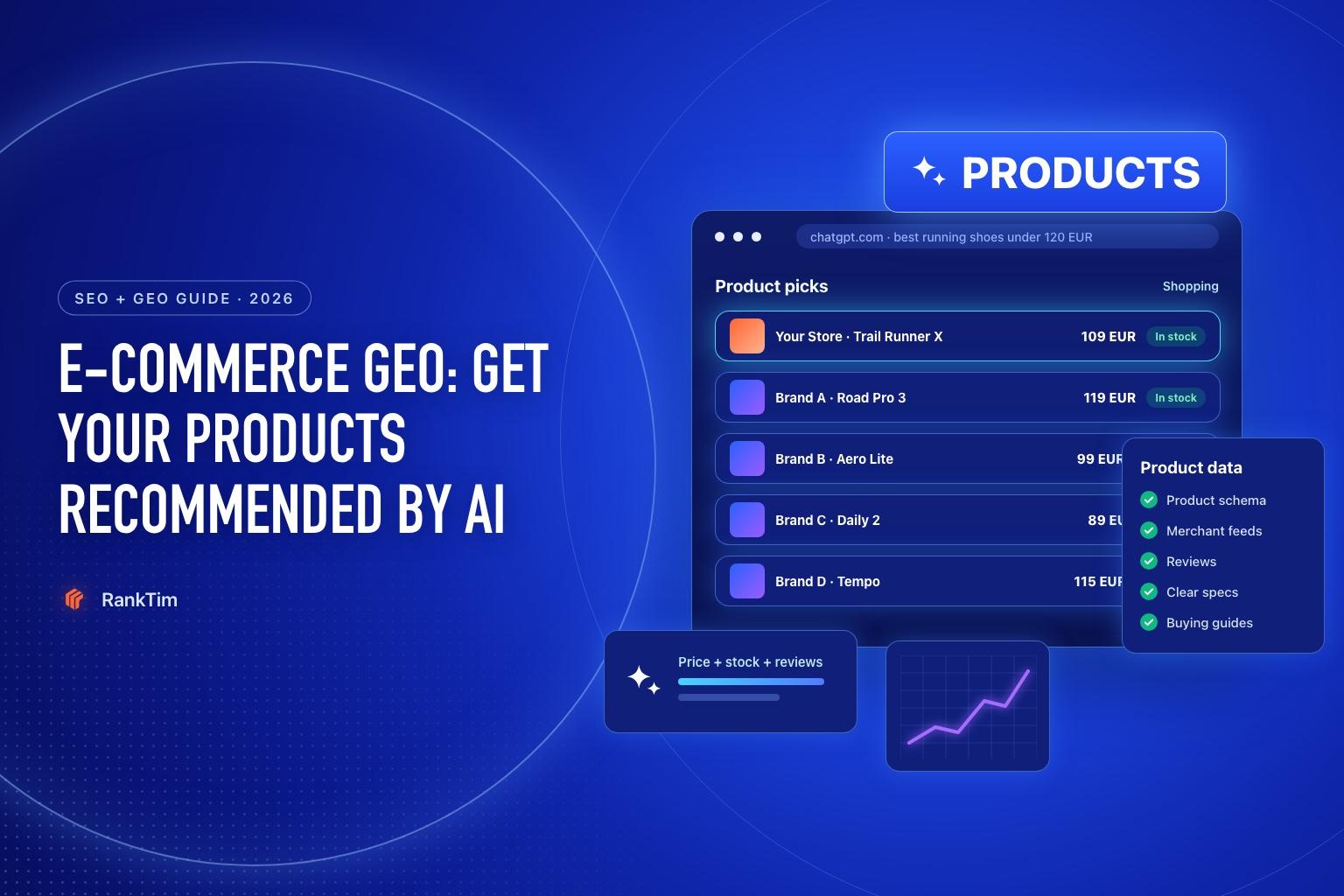
"What are the best running shoes for trail beginners under 120 euros?" A year ago, that search ended with a list of blog posts and shopping ads. Today, ChatGPT and Google's AI Mode answer it directly: a short list of products, with prices, ratings, key features and where to buy.
For online stores, this is a new shelf. It sits above the ads, it is personalized to the shopper's context, and it is built almost entirely from structured product data: feeds, schema, reviews and clear product pages. Stores with complete, consistent data get on the shelf. Stores without it are invisible, however good the product.
This guide covers how AI shopping answers are assembled and the concrete steps to get your products into them.
How AI Shopping Answers Are Built
Google: AI Mode's shopping answers are powered by the Shopping Graph, which Google says holds more than 50 billion product listings, with 2 billion of them updated every hour. Listings come from Merchant Center feeds and from product information on websites, including structured data.
ChatGPT: OpenAI's help center explains that ChatGPT chooses products based on how relevant they are to the request, and that when several merchants sell a product, they are ranked on factors such as availability, price, quality and whether the merchant is the maker or primary seller. OpenAI states that product results are chosen independently and are not ads. Product and merchant data comes from third-party providers and from merchants directly; Shopify merchants are included through Shopify Catalog.
Both systems reward the same thing: complete, accurate, consistent product data, backed by reviews and by content that explains which product suits which need.
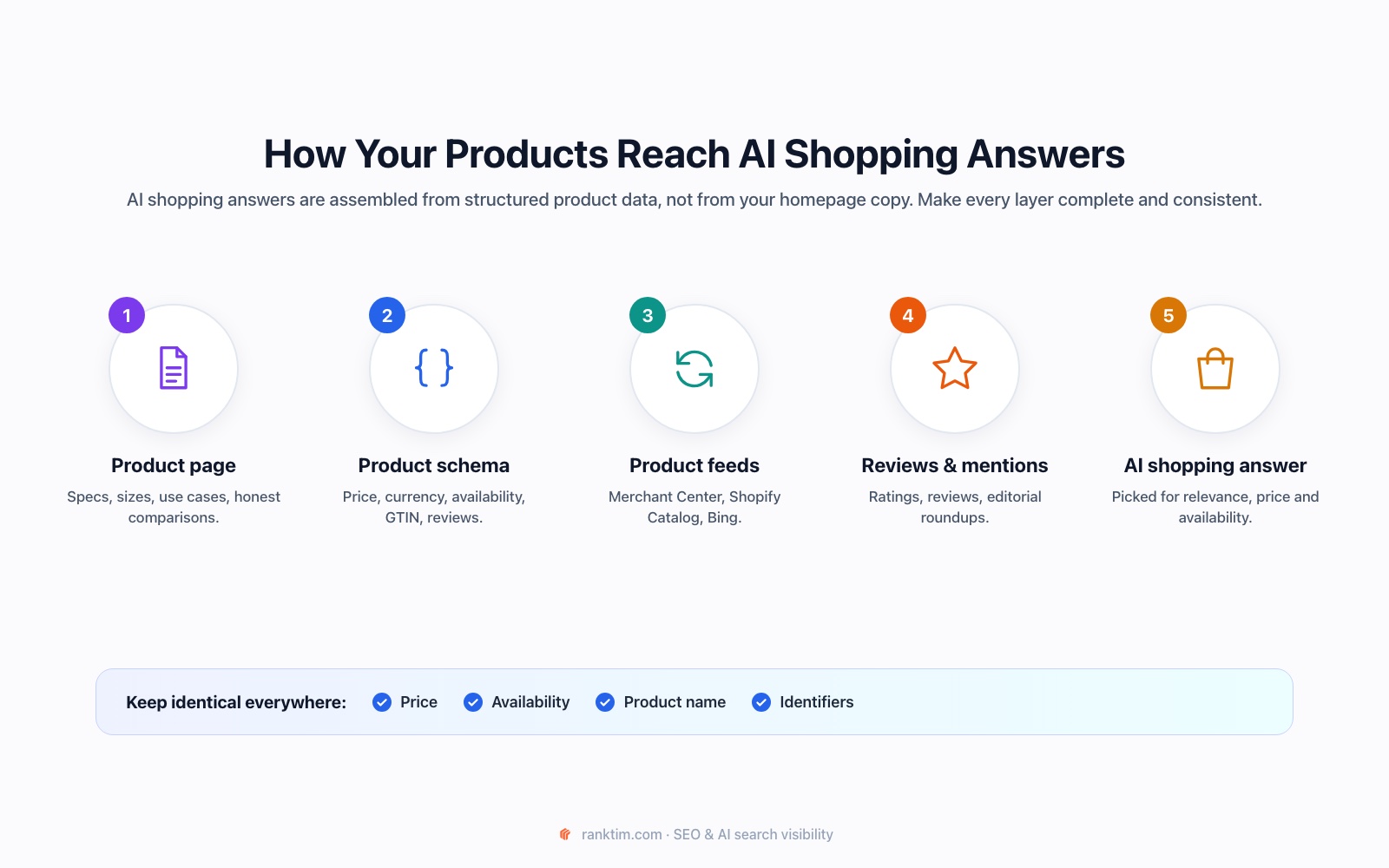
Step 1: Fix the Product Data Foundation
AI systems match products to very specific requests ("waterproof", "wide fit", "for beginners", "under 120 euros"). They can only do that if those attributes exist in your data.
- Titles: brand + product + key attributes ("Trail Runner X Waterproof Trail Shoe, Men's, Wide Fit"), not internal codes.
- Attributes: size, color, material, dimensions, weight, compatibility, use case. Fill them in as structured fields, not only in the description.
- Identifiers: GTIN (EAN/UPC), brand and MPN. They let systems recognise that your listing is the same product sold elsewhere.
- Price and availability: always current. A product shown as available at the wrong price damages trust in your whole store.
- Images: clear, high-resolution, on white and in use.
Step 2: Add Complete Product Schema
Product structured data is how your product pages describe themselves to Google, Bing and other crawlers. Include the offer, reviews, shipping and returns, rendered in the server HTML:
<script type="application/ld+json">
{
  "@context": "https://schema.org",
  "@type": "Product",
  "name": "Trail Runner X Waterproof Trail Shoe",
  "image": ["https://yourstore.com/img/trail-runner-x.jpg"],
  "description": "Waterproof trail running shoe with a wide toe box for beginners.",
  "sku": "TRX-42-W",
  "gtin13": "5940000000000",
  "brand": { "@type": "Brand", "name": "YourBrand" },
  "aggregateRating": { "@type": "AggregateRating", "ratingValue": "4.7", "reviewCount": "184" },
  "offers": {
    "@type": "Offer",
    "url": "https://yourstore.com/trail-runner-x",
    "price": "109.00",
    "priceCurrency": "EUR",
    "availability": "https://schema.org/InStock",
    "itemCondition": "https://schema.org/NewCondition",
    "shippingDetails": {
      "@type": "OfferShippingDetails",
      "shippingRate": { "@type": "MonetaryAmount", "value": "0", "currency": "EUR" },
      "shippingDestination": { "@type": "DefinedRegion", "addressCountry": "RO" }
    },
    "hasMerchantReturnPolicy": {
      "@type": "MerchantReturnPolicy",
      "applicableCountry": "RO",
      "returnPolicyCategory": "https://schema.org/MerchantReturnFiniteReturnWindow",
      "merchantReturnDays": 30
    }
  }
}
</script>
Every value must match what the shopper sees on the page. Price, availability and rating mismatches are among the most common reasons product rich results and listings get rejected.
Generate valid Product schema
RankTim's free Schema Markup Generator creates Product JSON-LD with price, availability and reviews, ready to paste into your product template.
Open the Schema GeneratorStep 3: Submit Product Feeds Where AI Shopping Looks
Schema helps crawlers understand your pages. Feeds give shopping systems your full catalog in a structured, frequently updated form.
- Google Merchant Center: submit your product feed (free listings are available) so your products enter the Shopping Graph used by Google Shopping, AI Overviews and AI Mode.
- Microsoft Merchant Center: Bing's shopping data reaches Copilot and other assistants built on Bing.
- Shopify Catalog: if you run on Shopify, your products are made available to ChatGPT through Shopify Catalog. Keep titles, attributes and inventory clean in Shopify itself.
- OpenAI merchant program: OpenAI also accepts product data directly from merchants. If you are not on Shopify, check OpenAI's merchant page for the current way to apply.
Step 4: Make Product Pages Answer Buyer Questions
AI assistants recommend products for situations, not just keywords. Your product pages should make it easy to match a product to a need:
- Who it's for and who it isn't for. "Best for beginners on mixed terrain; not for ultra-distance racing."
- Specific answers to recurring questions: sizing, compatibility, care, warranty, delivery times.
- Honest comparisons with your own alternative products ("choose X if..., choose Y if...").
- Real specifications in text, not only in images or PDF spec sheets.
Step 5: Earn Reviews and Editorial Mentions
When an assistant explains why it recommends a product, it usually leans on reviews and third-party content.
- Collect product reviews after delivery and show them on the product page, with Review or AggregateRating schema.
- Get into the "best X" roundups and review sites that AI cites for your category. Check which ones appear for your prompts (Step 7).
- Send products to relevant reviewers and creators. Independent reviews and videos are frequently used as sources.
Step 6: Publish Buying Guides That Feature Your Products
Shoppers ask broad questions before narrow ones: "how do I choose trail running shoes?", "what's the difference between waterproof and breathable?". Buying guides and comparison articles answer those questions and are a natural place to recommend your own products, with links to them.
In RankTim, add your catalog under My Products: connect Shopify to sync it automatically, add products manually or import an XML, CSV or Excel file. Turn on Include in Articles for the products you want to promote, and RankTim can feature them in the text and visuals of the articles it generates for you.
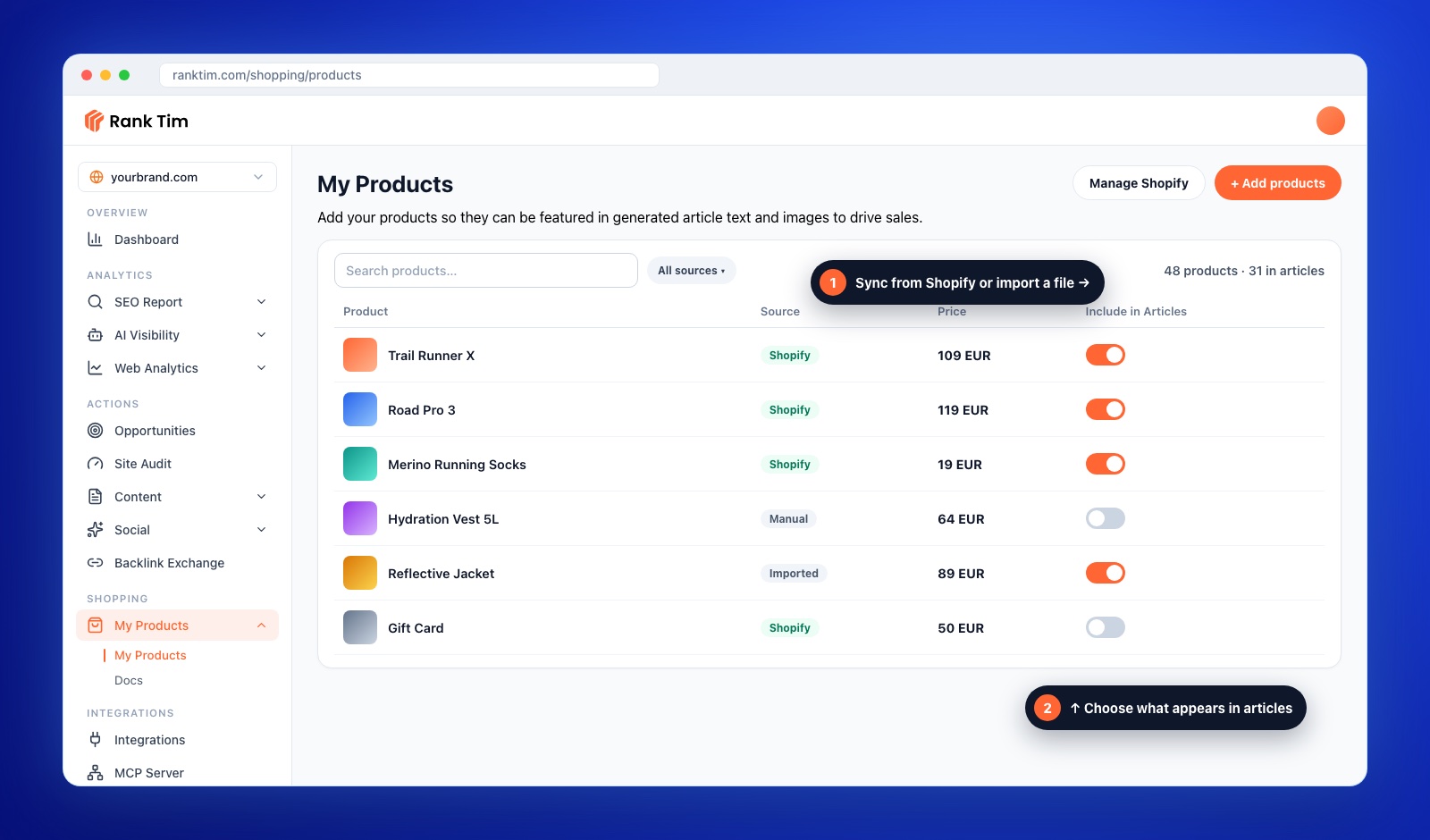
Combine this with a topic cluster around each category, so every guide links to the relevant product and category pages.
Step 7: Track Product Prompts
You can't optimize what you don't measure. Build a set of product prompts and track them across ChatGPT, Gemini, Perplexity, Copilot and Google AI:
| Prompt type | Example | What it tells you |
|---|---|---|
| Category + need | "Best trail running shoes for beginners" | Whether your products make the shortlist |
| Price-bound | "Waterproof running shoes under 120 euros" | Whether your price data is being used |
| Comparison | "Trail Runner X vs Brand A Road Pro 3" | How AI describes you against competitors |
| Store | "Where to buy Trail Runner X in Romania" | Whether your store is listed as a seller |
RankTim's AI Visibility shows which products and stores are mentioned, which pages are cited and how your share of voice compares with competing brands and retailers. Our tutorial on finding the prompts your customers ask AI shows how to build the set.
E-commerce GEO Checklist
- Product titles with brand, product type and key attributes
- Attributes, GTIN, brand and MPN filled in as structured data
- Product schema with offers, availability, shipping, returns and ratings, matching the page
- Google and Microsoft Merchant Center feeds active and error-free
- Shopify Catalog data clean, or OpenAI merchant access requested
- Product pages that say who each product is for, with real specs in text
- Reviews collected after delivery and shown on product pages
- Buying guides and comparisons that link to products and categories
- Product prompts tracked monthly across AI assistants
Frequently Asked Questions
Can I pay to appear in ChatGPT shopping results?
According to OpenAI, product results in ChatGPT are chosen independently and are not ads. Visibility depends on relevance and on the quality of your product and merchant data.
Do I need Google Merchant Center if I already have Product schema?
It's strongly recommended. Schema describes the pages Google crawls; a Merchant Center feed gives Google your full, frequently updated catalog, including products and attributes it may not crawl quickly.
My store isn't on Shopify. Can my products still appear in ChatGPT?
Yes. ChatGPT also uses product data from third-party providers and from merchants directly. Keep your product pages crawlable, your schema complete and check OpenAI's merchant page for direct submission.
How long does it take for products to appear in AI answers?
Feeds are processed within days, but being recommended depends on relevance, reviews and mentions, which build over weeks and months. Track a fixed set of product prompts so you can see the trend.
AI shopping assistants are becoming the first salesperson many buyers talk to. Give them complete, accurate information about your products and good reasons to recommend them, and they will do the selling for you.
Get Your Products into the AI Shopping Conversation
Sync your catalog, publish buying guides that feature your products and track which products AI assistants recommend, all in RankTim.
Start for Free
Catalin Dinca
Written by Catalin Dinca